Hi,
In all software I have been using over the years when I wanted to refine a mesh on a particular edge, face etc. just needed to pick up that entity in the viewport. Why creating named groups is mandatory and the only way to change the mesh?
Is there a way to create submesh without naming those areas?
You don’t need to create a group to create a submesh, you just need a geometry.
In the geometry module, you can extract the edge or face you want to create a submesh on, and then select it from the SMESH module to create the submesh.
Thank you, that wasn’t obvious.
Just of curiosity - could you tell me why has the edge to be extracted in the first place? They are already there.
Because you can only select them through the Object Browser.
That clears all. Thank you for helping me out.
Could you show me step by step how to do it? I don’t understand how it’s supposed to work.
In the Geometry module, select your main geometry.
Then menu “New Entity > Explode”, in the dialog select the type of sub-shape (for example Edges) and select the sub-shape to extract (or uncheck “Select Sub-shapes” to extract all sub-shapes of the selected type).
Then you can use the extracted edges to define the submesh.
Thank you. I tried Extract tool, rather than explode.
Well, it’s useless, since I can’t pick the edge in the viewport. How am I supposed to know which of 400 edges should I pick in Object Browser?
I’ve been working in SolidWorks, NX, Inventor, Solid Edge, FreeCAD, Catia, Ansys, Abaqus, Femap and PrePoMax. Picking point, edge or face is something natural, usual, obvious in all of the above. I don’t understand why it’s not possible in Salome. You have to always have a workaround to a workaround to make some simple task work..
You can select it in the viewer and will automatically select it on the object browser when you are in geom. Then rename it to easy find
Imagine you have a shell model consisting of 20 shells of different shapes, some openings, holes for bolts etc. What I’ve been doing to this point was naming all the edges in geom module, to apply hypotheses, mostly number of elements per edge to have a coherent fine structural mesh. Preparing model took ages. I wanted to speed up things, so I asked if there’s a way of picking the edges in viewport. It’s possible by selecting them in object browser, but only when you explode the model. But this gives no advantage, now I’m getting list of edges, and no one knows which is which. Now you’re proposing to name the edges in geom module. So, we are where I started. Meanwhile in PrePoMax (that’s why I’m amazed it doesn’t work like that, I don’t mind naming groups for slolver, but edges for mesh refinement???):
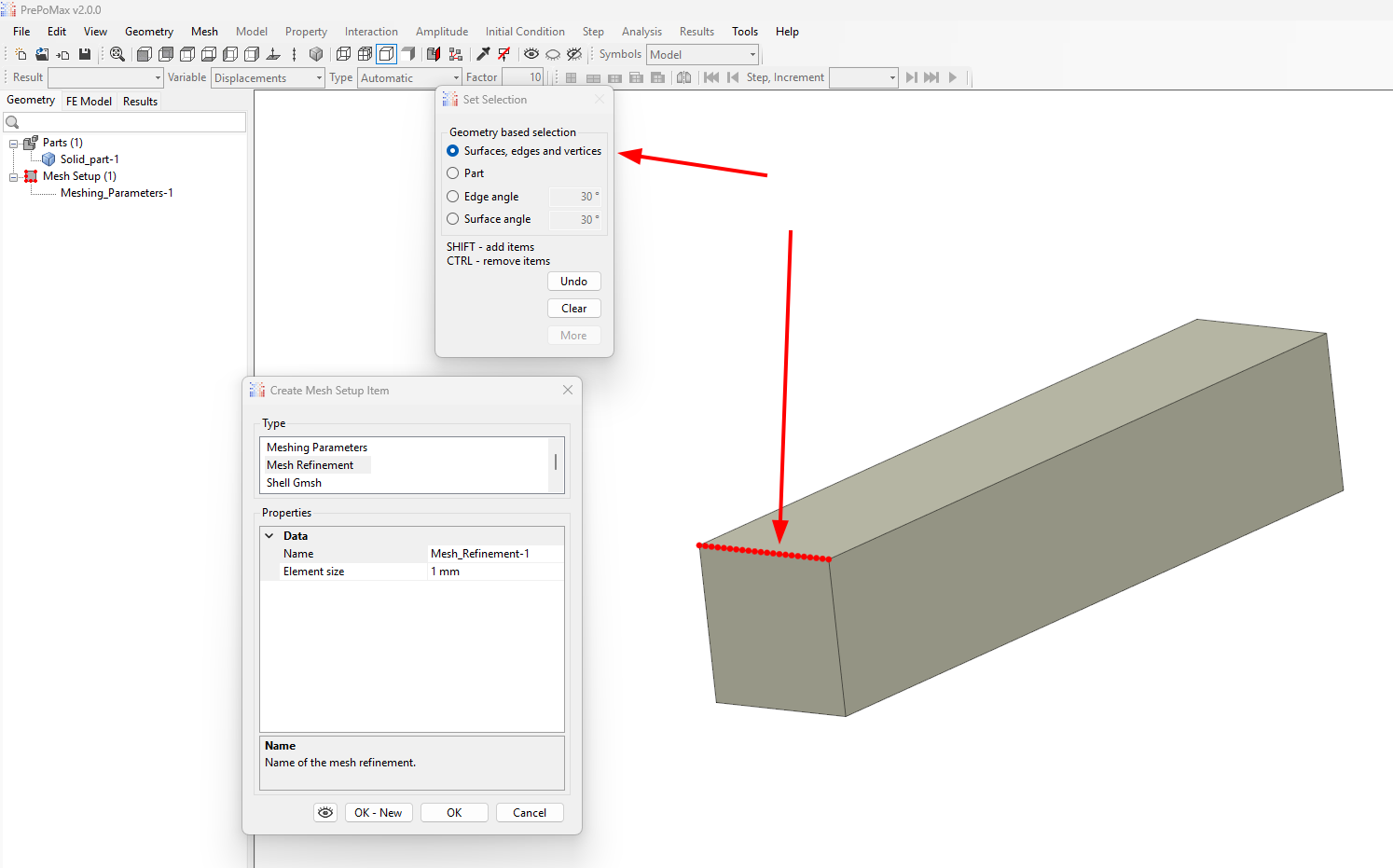
Operations/blocks/propagate. There you go.
The effect of propagate is on the left and I still can’t pick the desired edge in the viewport. I don’t want to look for the edge in object browser. The only thing I may pick is glue_1. So is there a way to pick one of the edges in the viewport to create submesh?
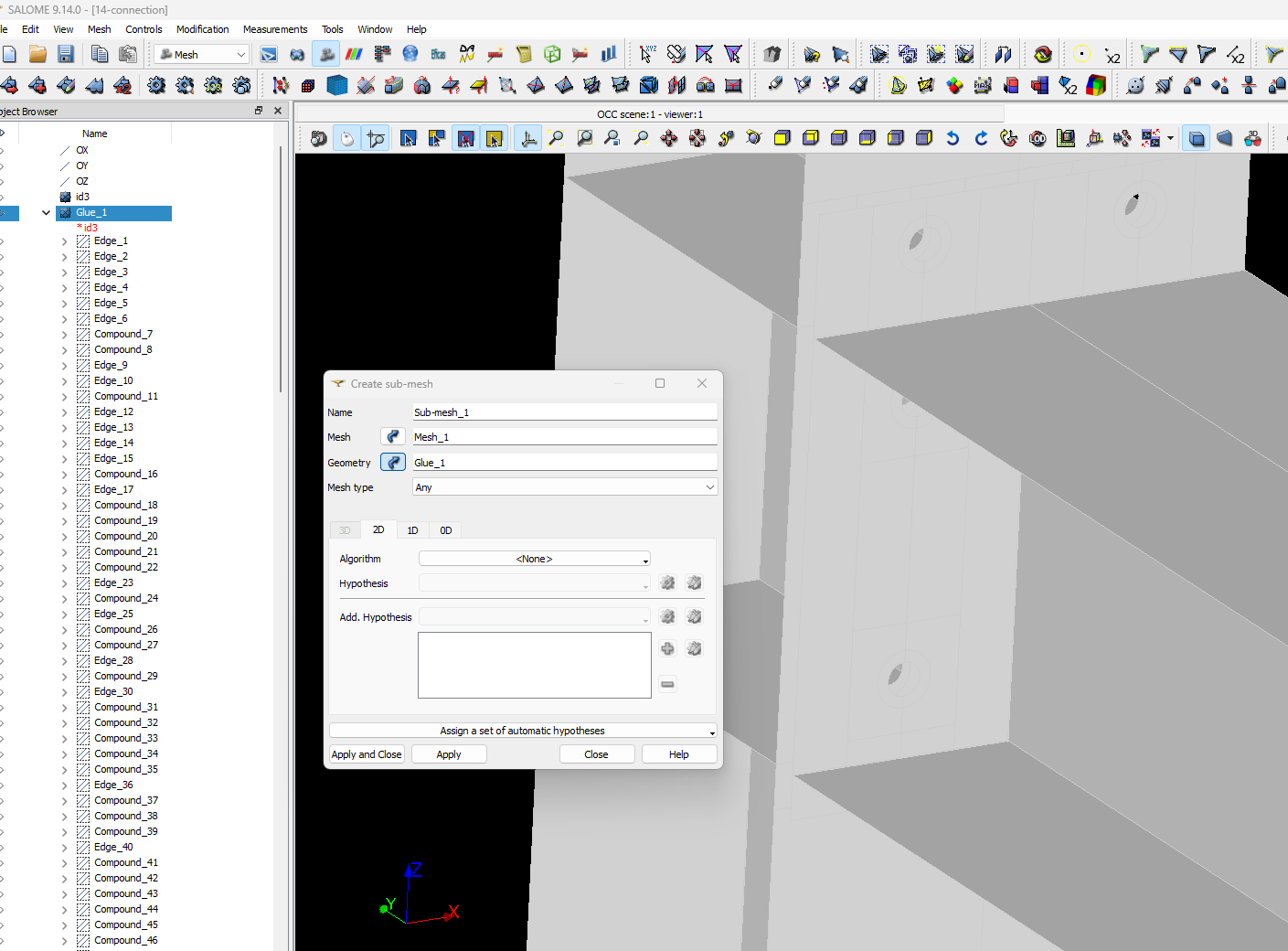
14-connection.hdf (2.7 MB) Salome v9.14
After finalizing the geometry for meshing, I right-click on it to create groups. By selecting the edge option, I can choose the specific edges I want and assign them a group name within the geometry for future reference.
N469
If that’s the result of you propagate there are problems in your geometry (if you attempt a structured mesh) as this will create group of edges where all of them inside will need to be meshed conformal. For example, for a cube you will get 3 groups only instead of 12 edges. And I cans see in the browser that you have some “alone edges” and at minimum a group in a structured mesh will have 4. I don’t have the time to check on your geometry now but I can guarantee that there is some issues on it.
Well this is what I wanted to omit. Considering the example I sent - adding edges around the holes to named groups then reusing the named groups to change mesh density is exactly what I’ve been doing so far. When I meshed a steel chimney I ended up with ~40 named groups from which only a few were later used to apply load and BC. What I find time consuming is going back and forth between geom and smesh only to create another named group for changing mesh density in concrete region of the model. Maybe there’s no other way and will have to stick what I’ve got.
I’m mainly working on imported geometry. When I import step containing shell I always must glue entities together to be able to assign “overall” mesh attributes. As you said, this might be the case that I have an error somewhere in that geometry. What I usually do is mesh the whole structure with with general mesh size etc. After meshing I see where the hypothesis didn’t work, so I switch to geom, create named groups, switch back to smesh, add submesh on that region and remesh whole structure. When I have additional things that I don’t like, I switch to geom, add another named group, switch to smesh, add another submesh and remesh the structure. This was my approach so far. I wanted to find a quicker way. I only need named groups to apply load and BC. In the ideal situation I’d pick edges from the viewport while being in smesh module, but with the imported geometry I can only pick whole model only.
It would be great if you could check the geometry and give me some hints what to do next time.