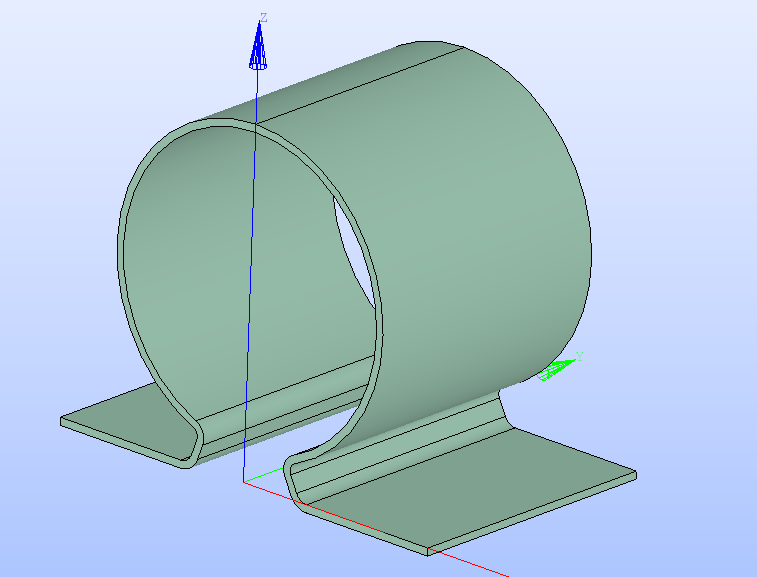
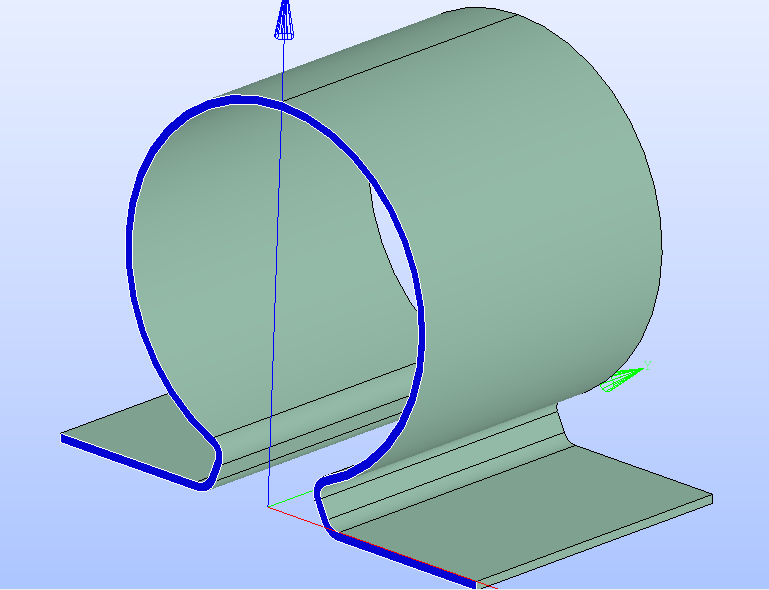
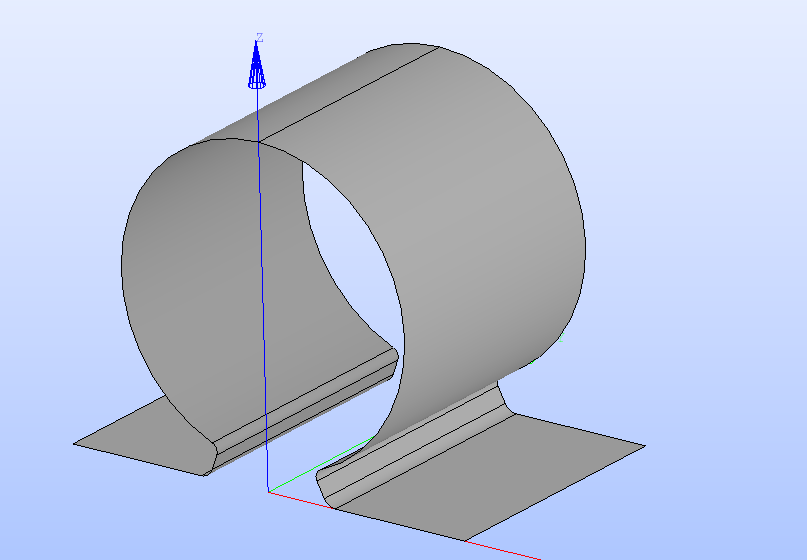
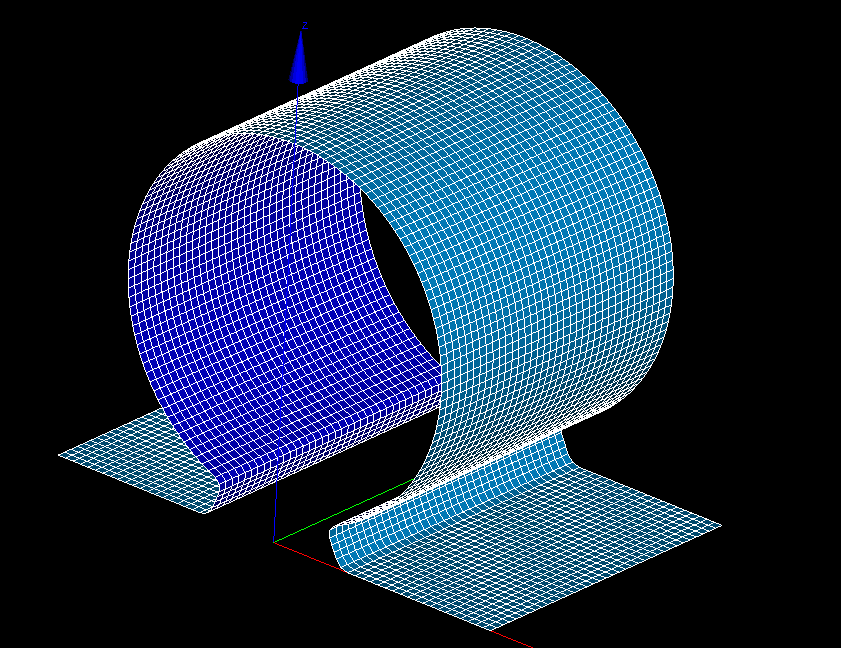
I am trying to mesh a thin sheet body with constant thickness.. The body can come from a CAD software like FreeCAD or Onshape where thicken feature is applied to a surface geometry like below.
But then I need to use “EXTRUDE” mesh along Normal to get thick volume mesh that covers thickness of the part.
Now If i change some mesh parameter. I have to compute mesh everytime.
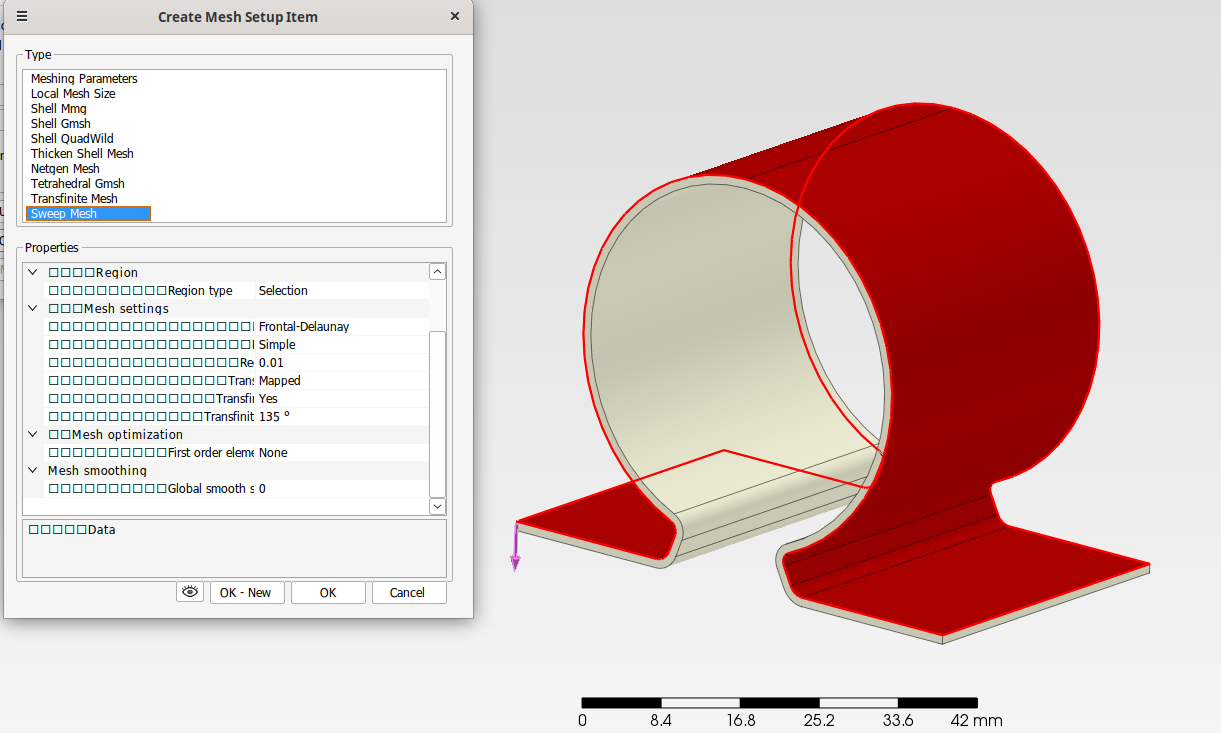
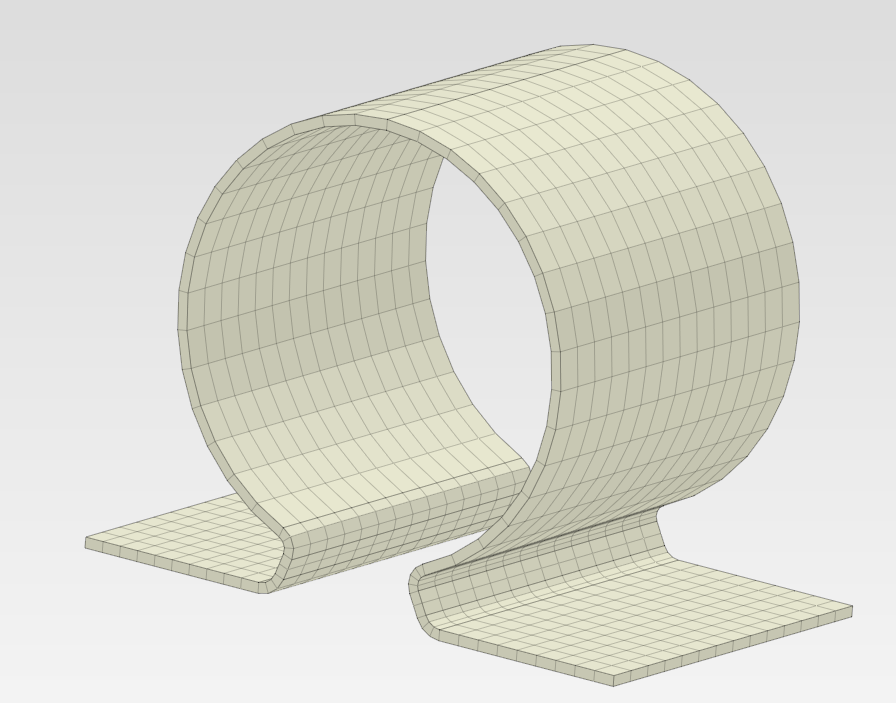
Is there some feature in Salome that emulates Thicken shell mesh gmsh function in a software called Prepomax? It automatically extrudes along normal to the shell mesh created by gmsh and one can specify no. of elements through thickness.
Also I would like to use Gmsh’s Quasi structured quad 2d mesh algo on the outer faces rather than quadrangle mapping( which doesn’t work for complex faces)
So I want to specify Gmsh built inside Salome’s Quasi Structured Quad algorithm on outer faces and create a given number of volume elements thru thickness without resorting to manuallyextrude mesh along normal function in mesh toolbar. Is it possible? Or is there another alternative using a python script?
you need to divide the solid into multiple solids by cutting it in the seam edges. this gives a compound that you mesh one side and then you do extrusion 3D on the blocks.
Ah yes, but it is too much work. Isn’t there a way to
1- find corresponding vertex on opposite surface,
2- create a plane through both vertices and the edge containing one of them
3- partition the body with this plane.
The latest release of Prepomax has implemented a sweep mesh feature that takes whole surface as input and creates good swept mesh without splitting geom.
In your case you can do this by instead meshing the thickness face and do extrusion 3d. But this is because it is a simple geometry, in a more complex case you will need a script.
I tried using thickness face assigning it Quadrangle mapping mesh.
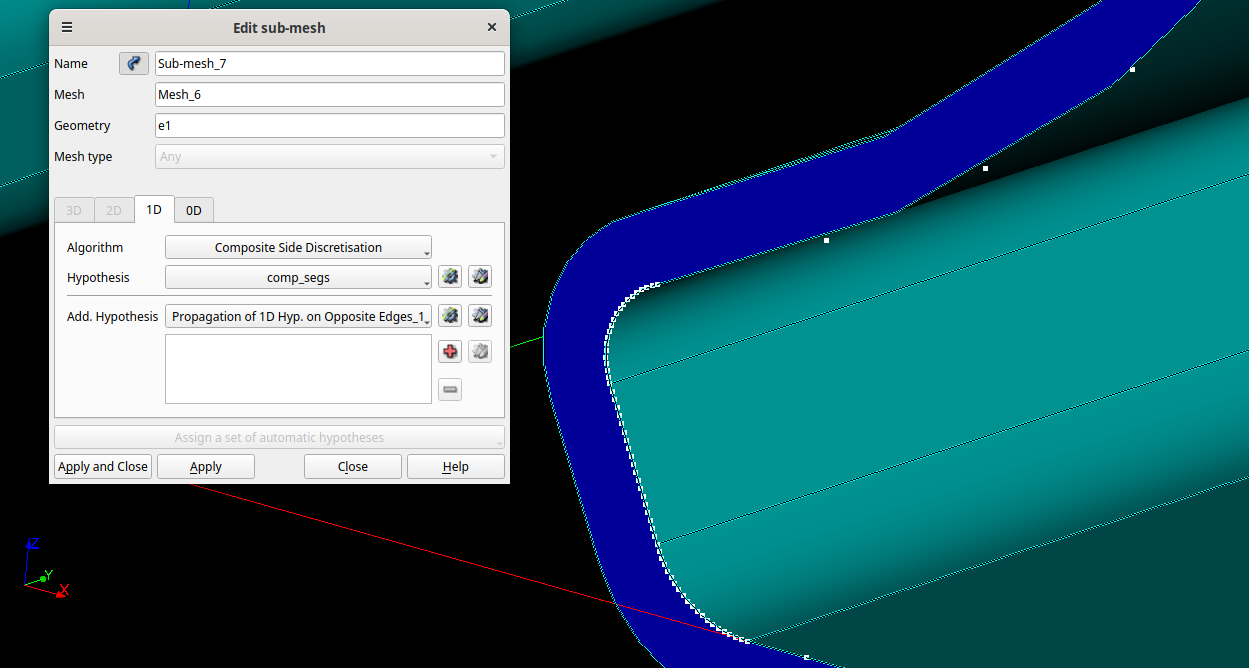
I also assigned one of the edge chains on top face(which I believe is C1 continuous) composite side Discretion as shown in image below(with Propagation of 1D hypothesis as additional parameter). However, as you can see Composite side is not applied and each edge of chain gets entire no. of segments so very close nodes on fillet edges. SO the tangent chain seems not to be recognized. It is a simple model created in Onshape. It is created by thickening a surface(fillets applied to surface/sketch before thickening) why it isn’t recognized as C1 continuous???
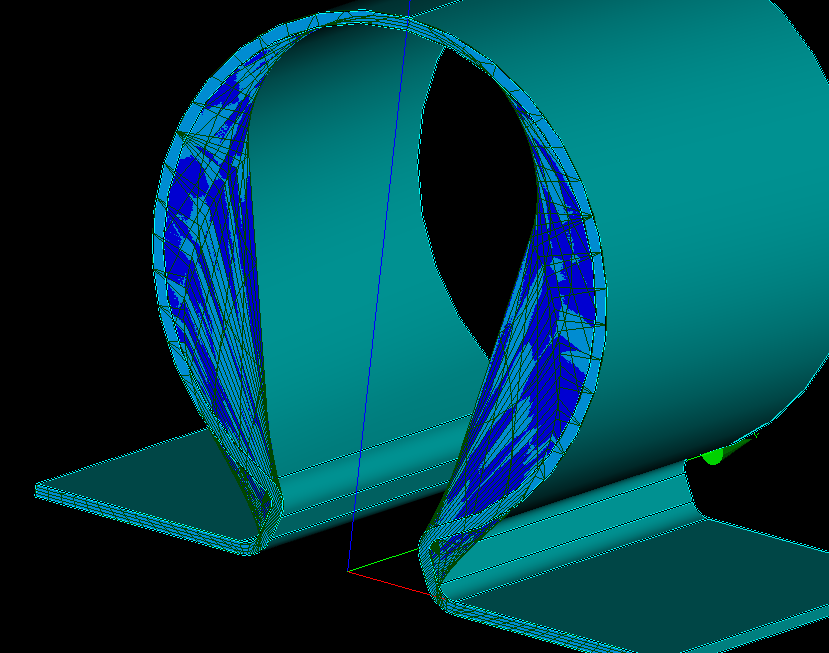
Changing the algorithm to GMSH2D crashed salome. I don’t know what’s wrong going on here.
last few lines in terminal before salome crashed
Error during Generation of Gmsh Mesh
No elements in surface 1
error occurred while meshing entity:
tag=1
dimension=2
native pointer=0x79b4840c6f18
level=Info msg=Done meshing 2D (Wall 0.00556217s, CPU 0.003117s)
level=Info msg=32 nodes 42 elements
double free or corruption (!prev)
Thanks for reply. I see you split all edges in or more compounds. Was it done manually or using a script?
and why did composite side discretisation fails here?
Also, I see a request was raised on github for improvement of meshing algorithms. For 3d algorithm, you want to implement one to one sweep. However, in the step file I attached, you can see that both sides of thickened body have multiple surfaces. So it should be many to many sweep. Also in Prepomax sweep image I have shown, it takes all faces on one side as input not just one face.
you are not clear with your quesiton, where it fails composite side discreisation? when you are meshing with quadrangular meshes you need to have same number of elements in left side than right side, normally the two of them would be in same propagation group, in that group one could use whatever method for 1D meshing that is desierd IF the number of elements are kept. if you mesh a quadrangle geometry where the left side is larger than the right side and you mesh using a length dependent 1D algorithm it will fail, as it will create more elements on the left than in the right side.
many to many it does not exist automatically up to my knowledge in any software, even cubit has only many to one. in your other software probably what is doing is connecting all faces to a single one same the other side and doing a one to one sweep. also instead of making a post here create an issue, post in a forum get lost quite easily where the issues are easy to track them. the approach you want to do in salome you can achieve it as i mentionned before, by cutting the geometry and create a compound, this can be done by scripting in a automatic way without much work, but you need to make it, it is not there by default if you want to do it from CAD perspective. if you want to do it from mesh perspective this is quite easy to do, by meshing one complete side and using extrusion feature from smesh.
Operations/block/Propagate I haven’t tried but I’ll try it.
Probably I was unclear about composite side discretisation.
As per salome documentation, it takes C1 continuous edges as input and applies no. Of segments over all of them and ignores in between vertices of those edges.
In example above you can see that I selected a chain of edges on top side of “extrude” front face which are “tangent continuous “.
Then I applied composite side discretisation on those edges with 15 no. Of segs(comp_segs)
But the mesher ignored it and meshed each of the edges with 15 segs(you can see edges near fillet have very close node distribution while straight edges gave sparsed nodes)
So even though the chain of edges is Tangent, it could not identify it as C1 and meshed each edge individually not ignoring vertices.
Also, true that cubit has many to one algo, but cubit also failed to mesh it with default settings. Even with composite surface on one side it didn’t do a good job and mid nodes were quite skewed.(need to apply some smoothing algo but I’m unaware of that)
Much thanks for script. I will study it but the issue remains that it has to be run everytime after mesh compute.
you can make a simple ‘intelligent’ script that takes this kind of geometry and creates the mesh automatically without much effort, just the first work for creating the script then you can use it in several geometries if it is something you encounter a lot. this is too simple of geometry to require a sweep many to many in any case…