Hi,
I have issue on not responding to mouse input for this version 9.16.0 (and since 9.15.0) in the Paravis. I am wondering if it is bug or I miss up any dependencies installation.
I am using SALOME under WSL2 on Windows 11 with Ubuntu 24.04.
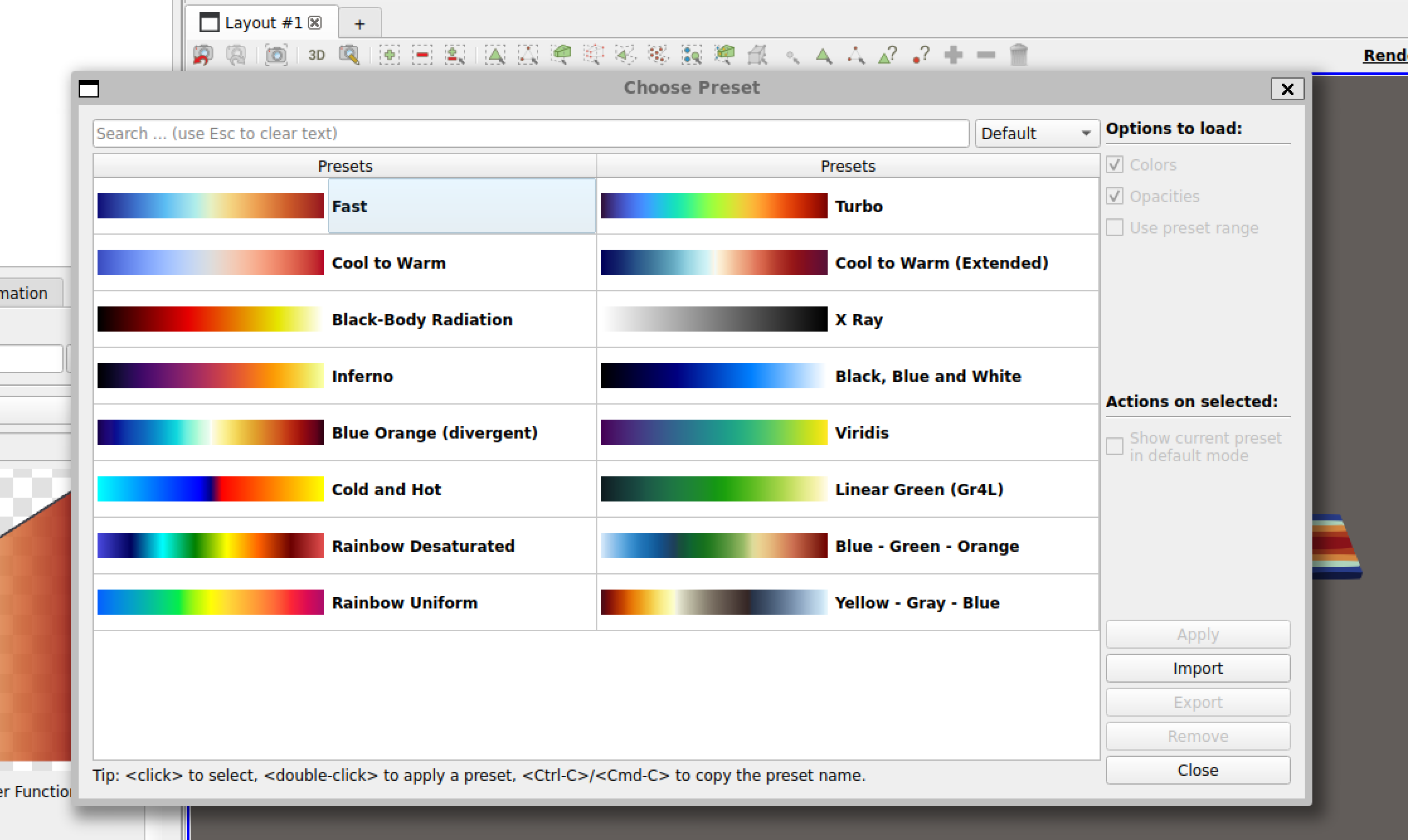
In ParaVis, the “Choose Preset” pop-up window opens correctly, but mouse input does not work inside it: I cannot click controls, select a preset with the mouse, drag the window, or return focus to the dialog after clicking outside it.
The main SALOME and ParaVis windows otherwise work normally.
I tested both the Ubuntu native and Linux universal SALOME packages:
-
SALOME 9.14.0: the Choose Preset dialog works correctly.
-
SALOME 9.15.0: the dialog does not accept mouse input.
-
SALOME 9.16.0: the dialog does not accept mouse input.
I installed the runtime dependencies reported by the native-package dependency checker. I also tested launching SALOME with:
QT_QPA_PLATFORM=xcb run_salome …
but this did not change the behaviour.
Keyboard interaction partly works: Tab can move through the preset list and Esc closes the dialog. However, after clicking outside the pop-up, I cannot reactivate it with the mouse.
Is this a known WSL2/WSLg, Qt, or ParaVis issue? Is there a recommended workaround or setting to restore normal mouse interaction with this dialog?
Thank you.