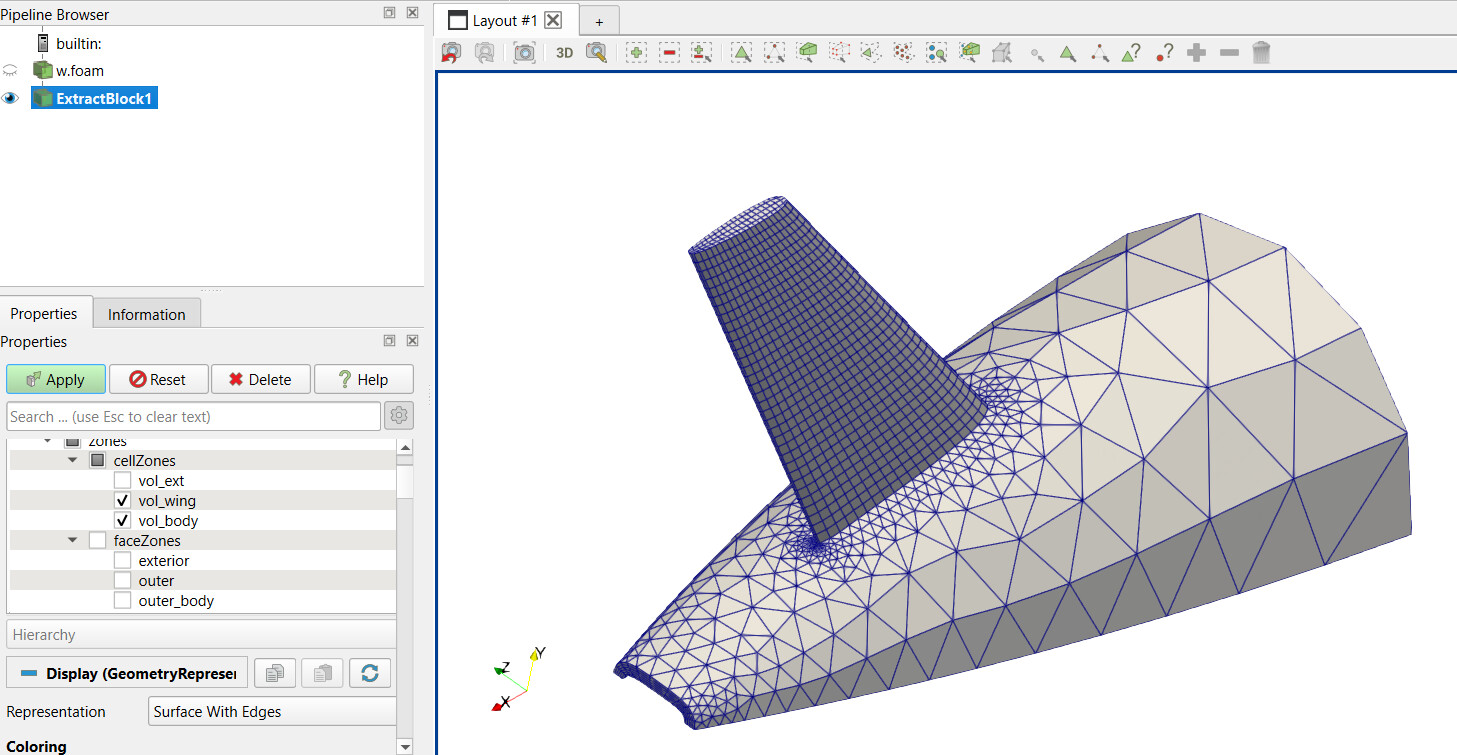
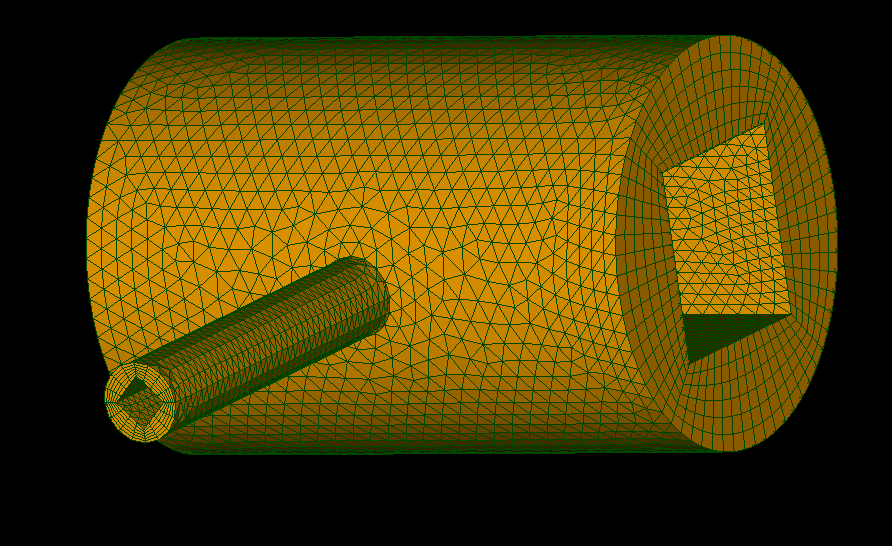
I’m trying to generate viscous layers on an aircraft fluid domain using NETGEN. My settings are:
First layer height: 5e-06 m
Growth ratio: 1.2
Number of layers: 40
Expected total thickness: 0.036719 m
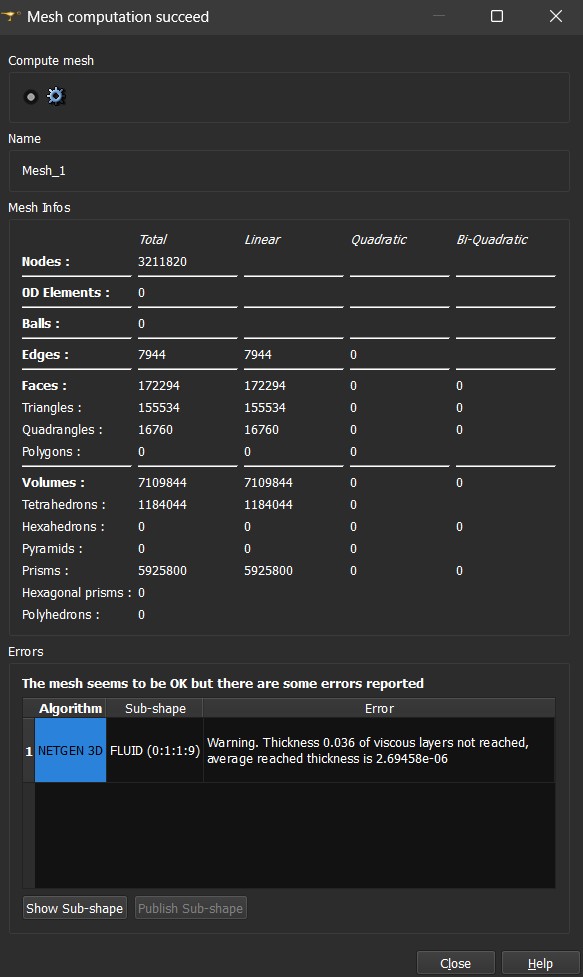
However, during meshing I get this warning: “NETGEN_2D3D_1” on “FLUID” – Warning: Thickness 0.036719 of viscous layers not reached, average thickness is 8.41741e-05.
Has anyone faced this before? Any guidance on how to generate the full prism-layer thickness would be appreciated.
I also encounter same error for several times with many different settings. Are you able to solve it?
I realized that my geometries tiniest feature is the deciding factor for whole surfaces thicknesses. If your smallest edge is around 1e-4’ish I guess it give thickness layer below that value for all VLs. I will be happy to discuss more.
@mhsari is in the right track the most probably reason for not reaching thickness is small edges on the geometry, as neither of you have shared the geometry (would highly recommend for future posts to share it, so one can help without speaking from guessing) i can not say for sure. but in my experience i only saw it happening with this or when giving a really large thick layer. actually to be more precise, the thickness will depend on the neighbour edges of the faces where it is created, so larger edges will give thicker possible layers. (when saying edges i am refearing to edges of the geometry, not the mesh.)
@franco.ota I have managed to get the files this time. Since I was running them on my laptop instead of my workstation, the mesh settings are a bit coarse.
@N469 Did you try to use sub-meshes? Or should I use the default mesh options that the file you’ve sent? In your workstation how do you your improve mesh?
Meanwhile, I usually create submeshes on farfield and walls surfaces to have a better control. In current settings, the min size is 0.01 which is already a problem for edges evenif, the size control is automatically handled by NETGEN. For my geometry, (I cannot share as I am also with my leptop) usually I hold min size as below as 1e-6 while I try to control the overall mesh size with max mesh size. I’ll work on your case in coming days. Hope to update you soon.
So, if I understand you correctly, you create a generic default mesh first and then create submeshes for better control and then generate viscous layers?
I have tried the default NETGEN parameters as well as customised them to a finer setting. Often, when I get less than 1e-4, the meshing stalls. For the finest mesh, I go for 0.001m as the minimum size on my workstation. On my laptop, I increase it a bit to get the workflow set up. But even with a finer setting on the workstation, it was giving a similar viscous layer error.
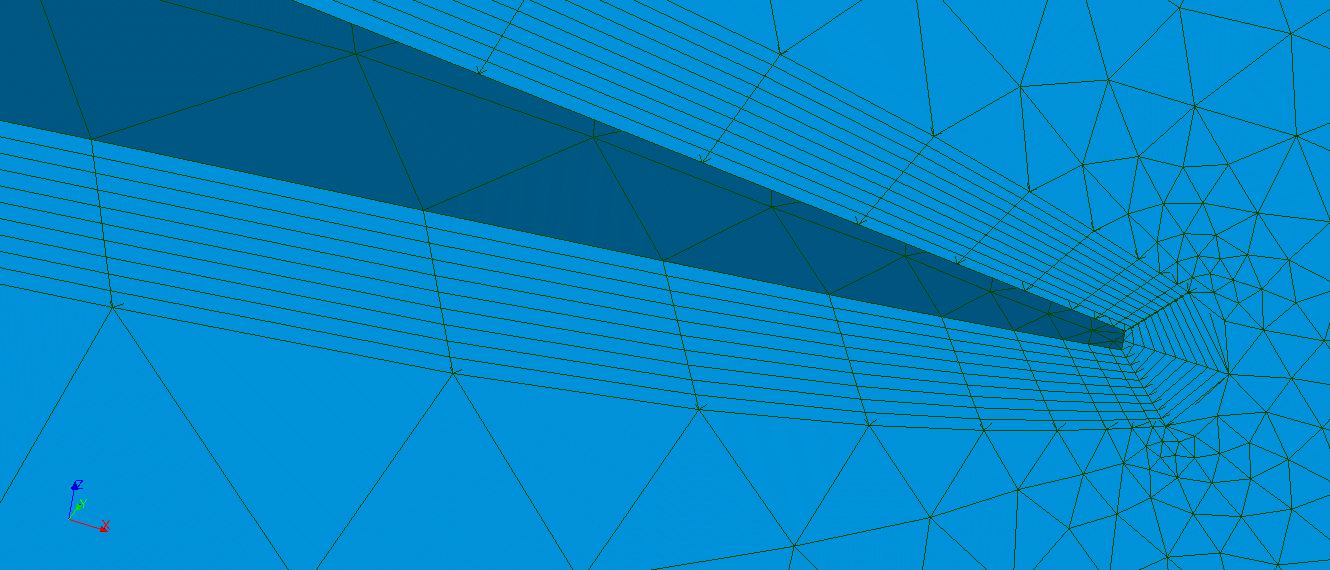
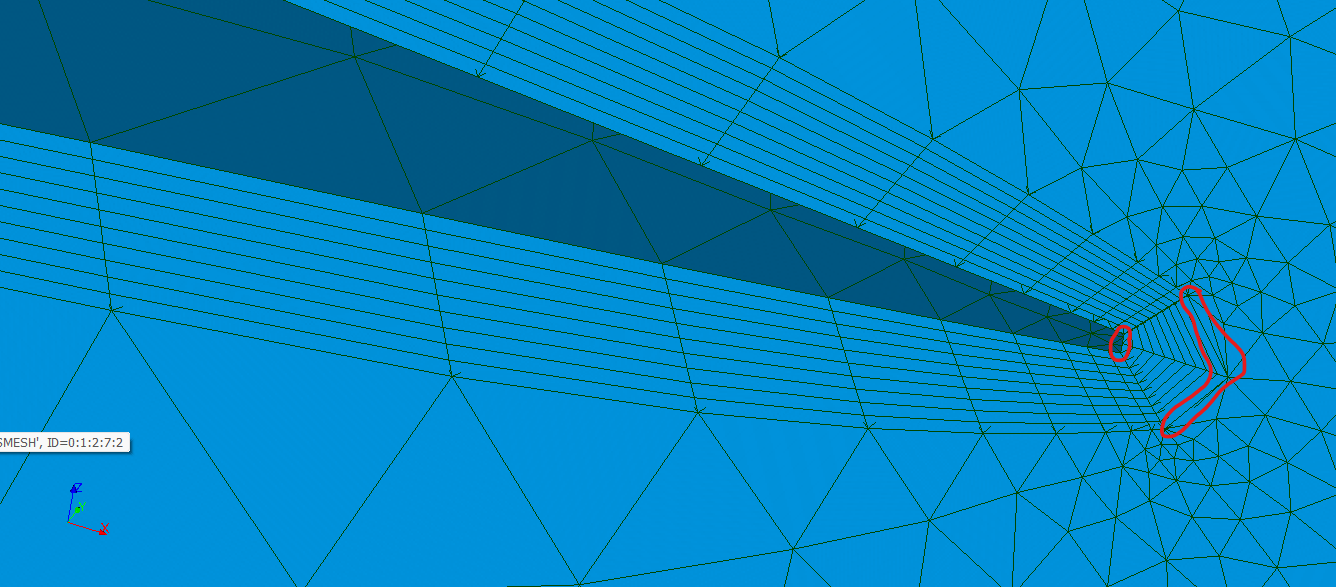
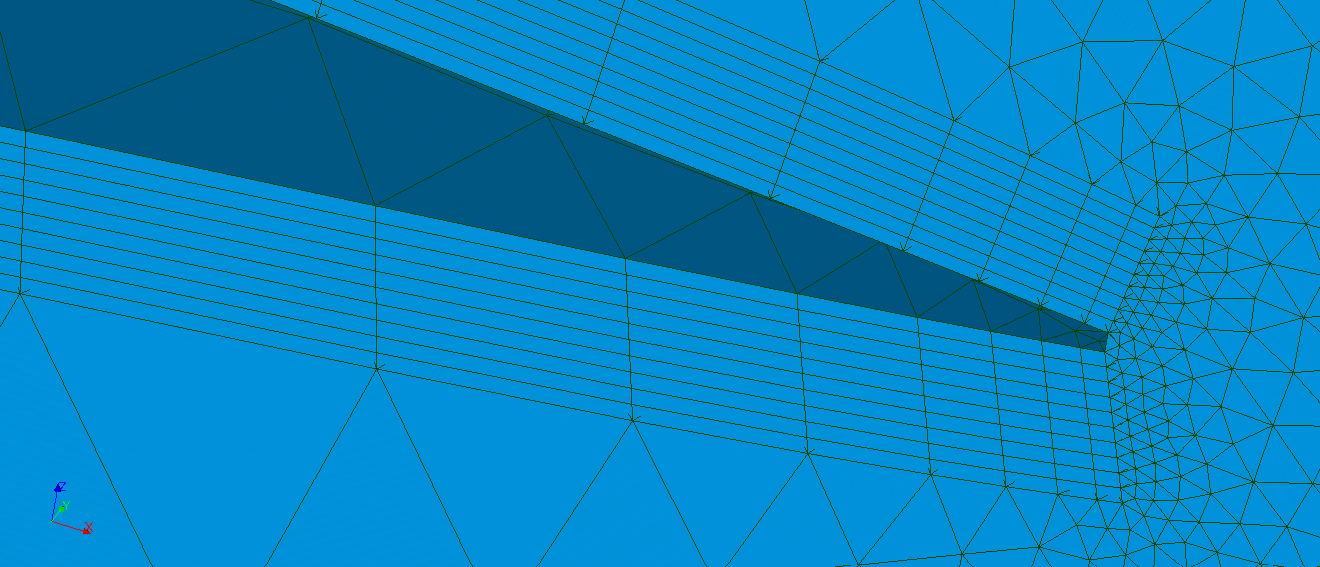
@franco.ota : To solve this problem: a custom offset script is needed, which does not limit layer thickness. We should also avoid layer collapsing. Aspect ratio of viscous layers are already large for prism elements. Collapsing them will make situation worse. To convince I came up with some approaches:
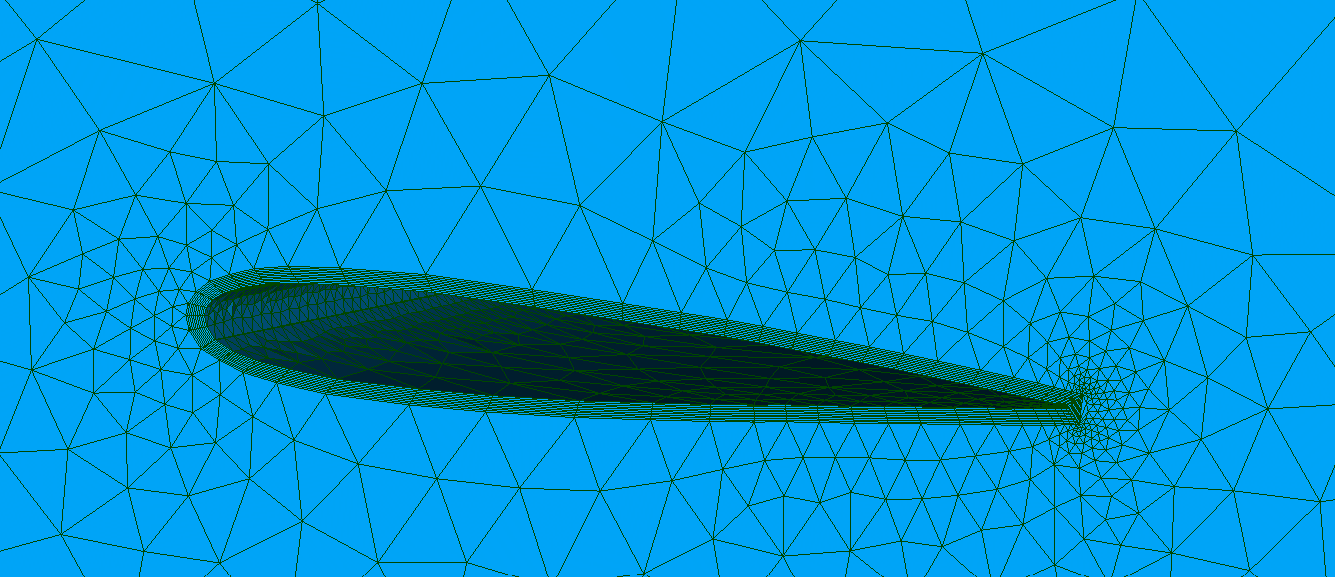
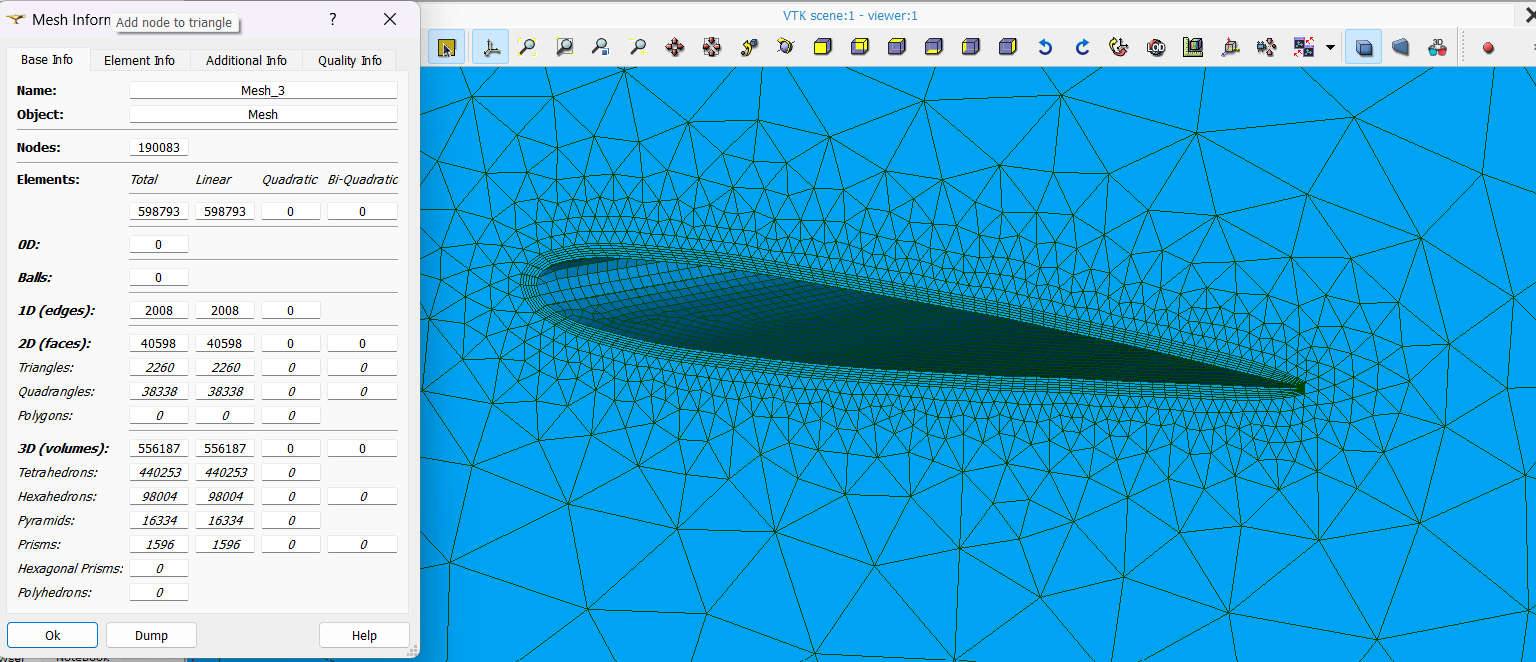
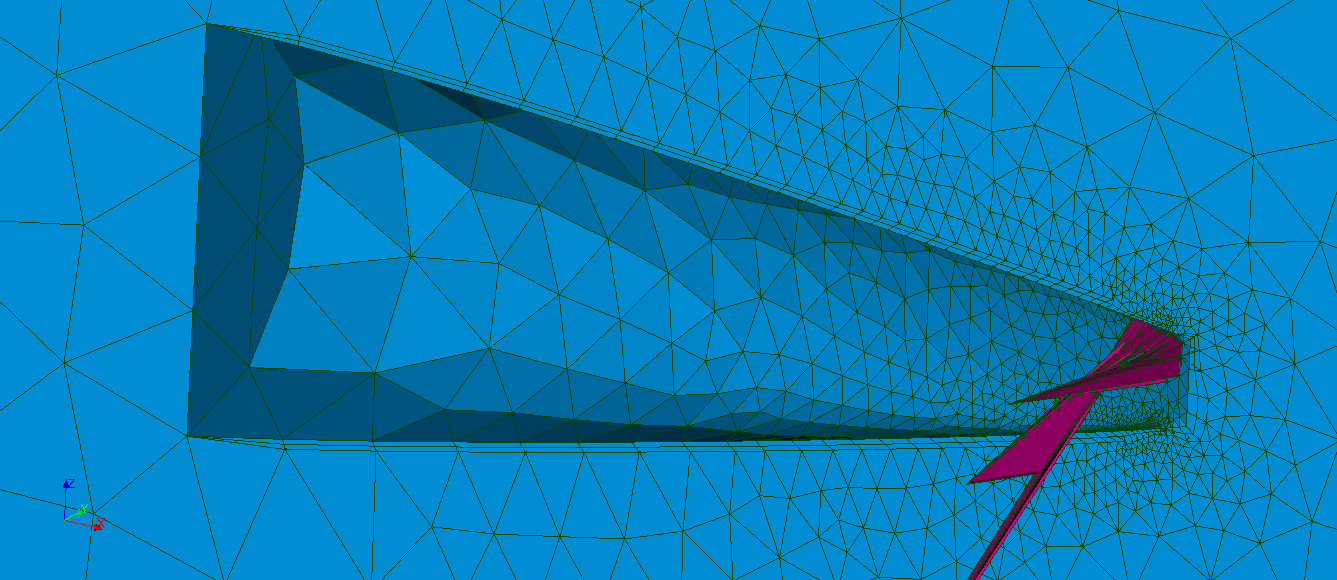
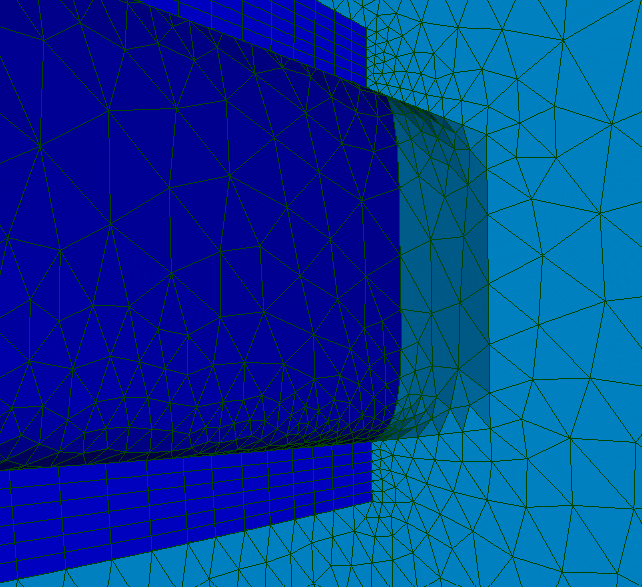
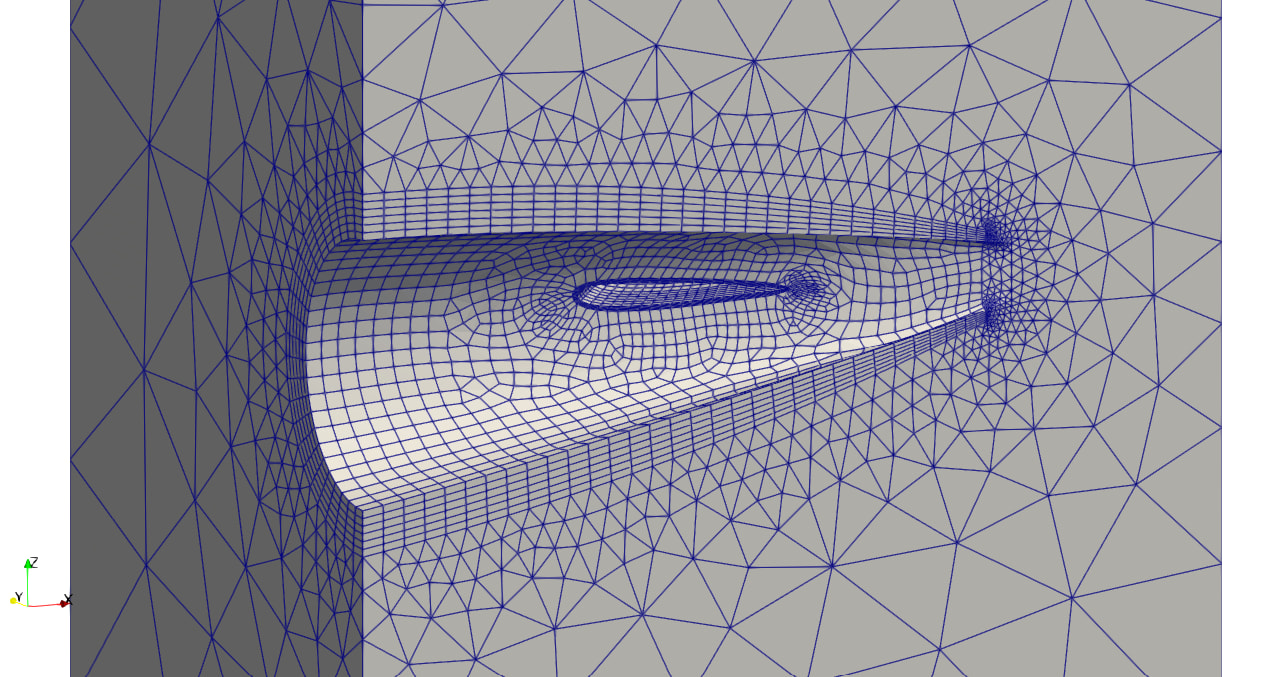
- wake_mesh_0.png shows the viscous layer with a surrounding offset volume. Sharp trailing face has distorted elements.
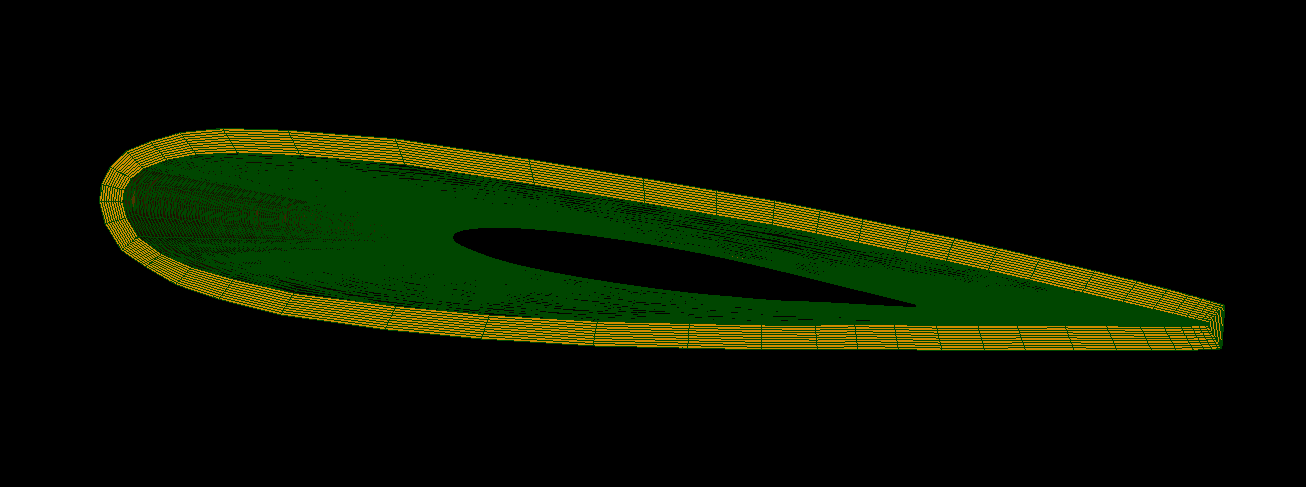
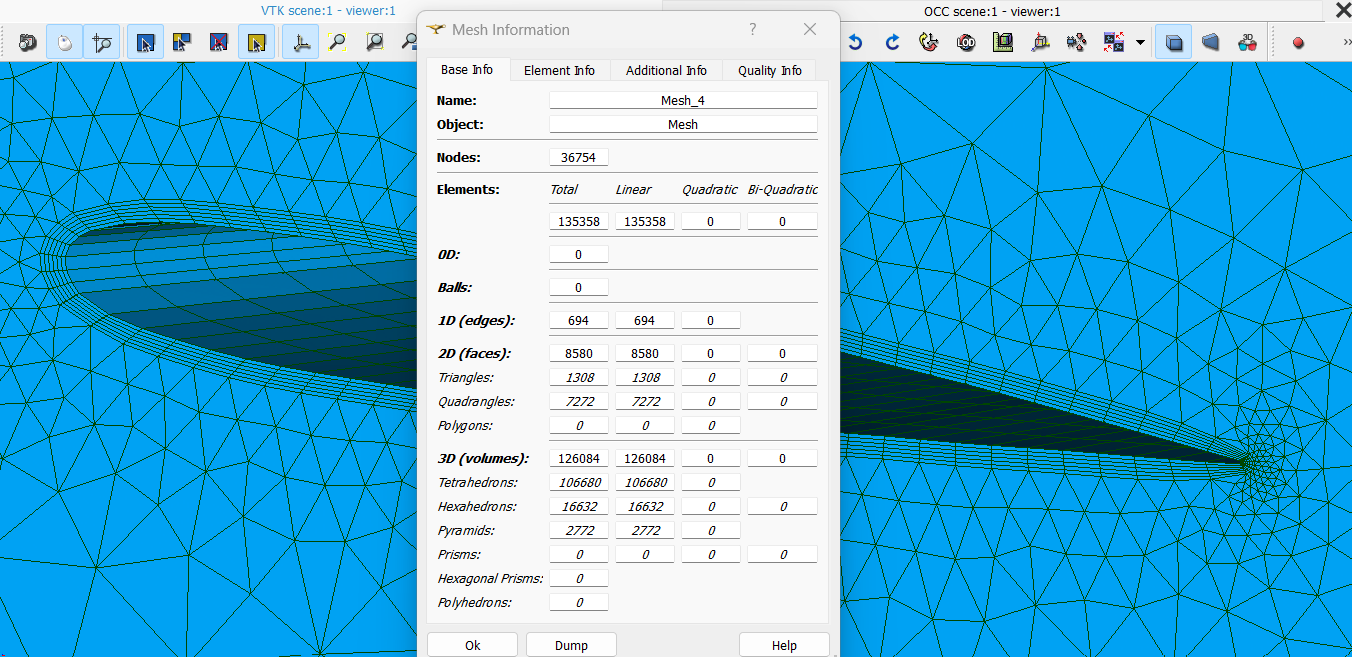
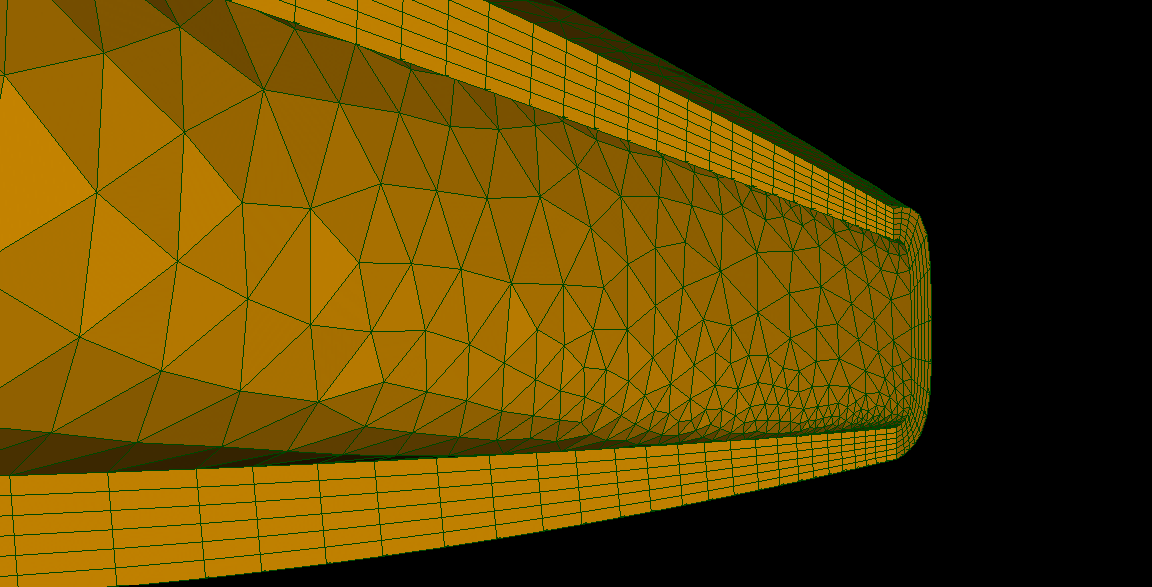
- In wake_mesh_1.png, I smoothed or thinned the offset volume near the trailing face. Better, but I am still not satisfied.
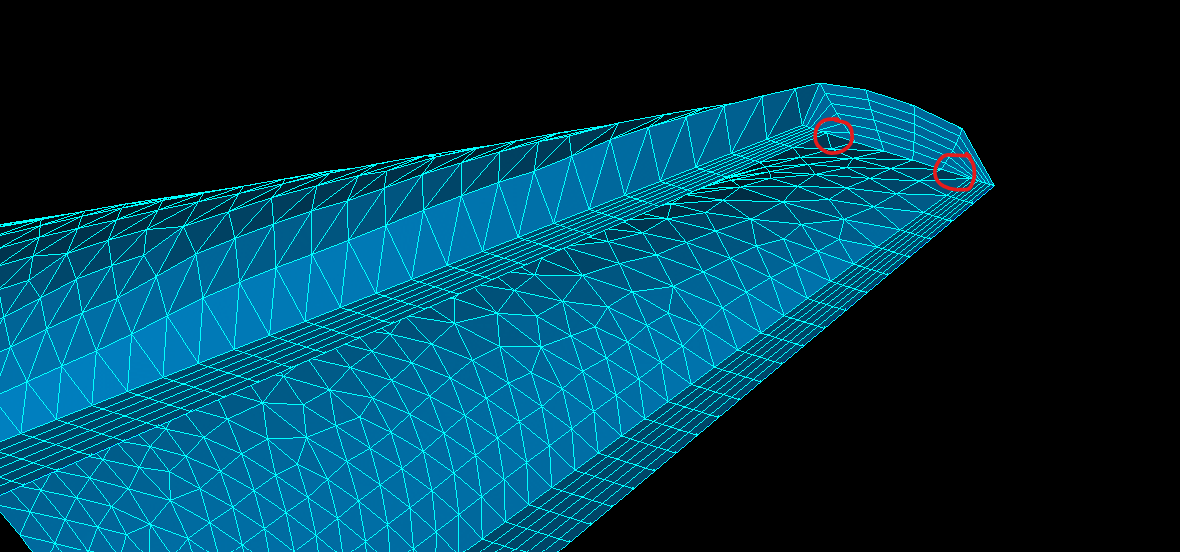
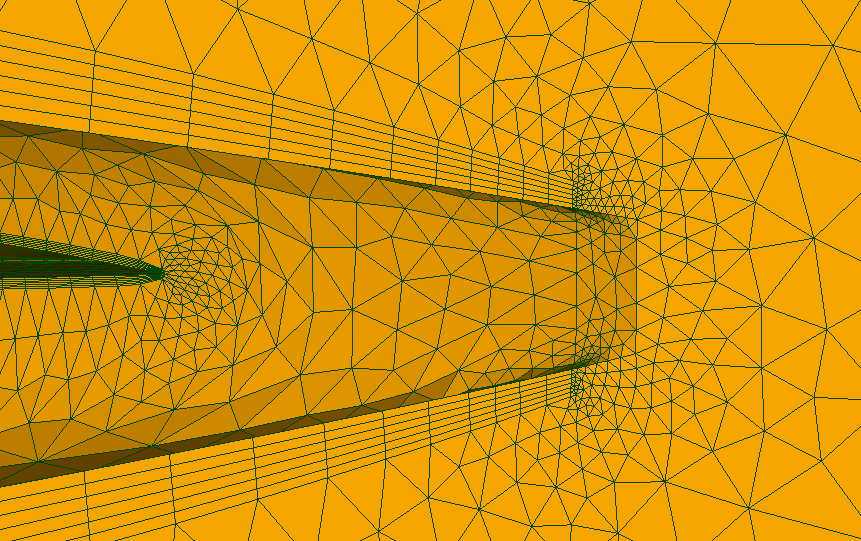
- wake_mesh_1_issue.png highlight the edges to refine to obtain a better mesh. However, this will cause extremely small elements.
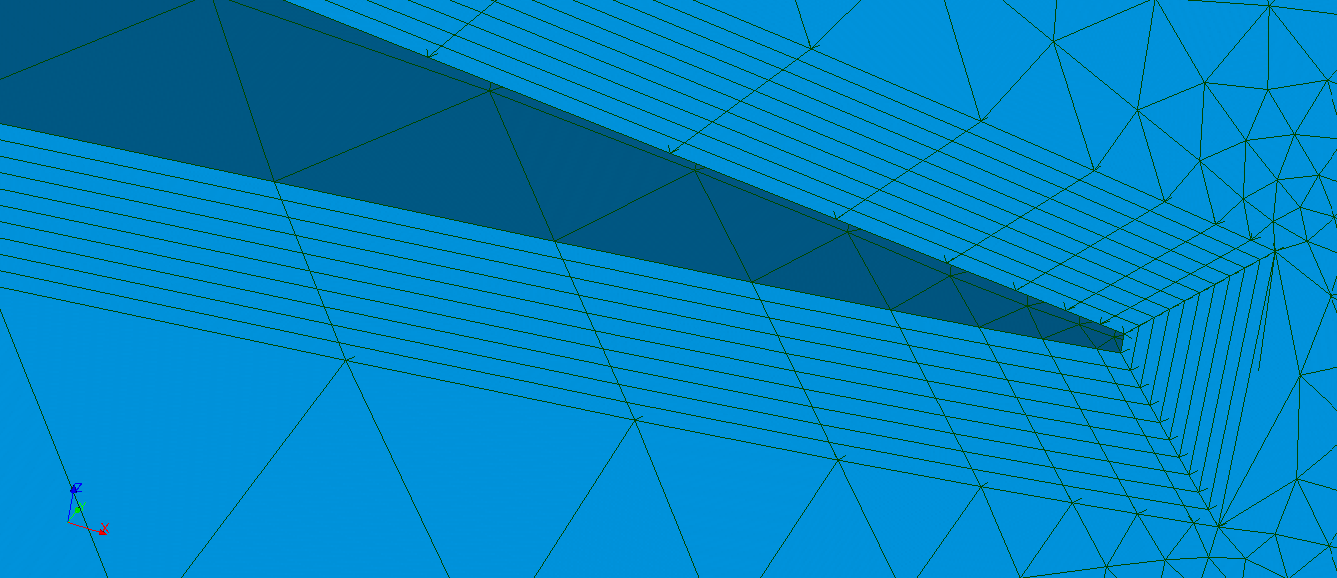
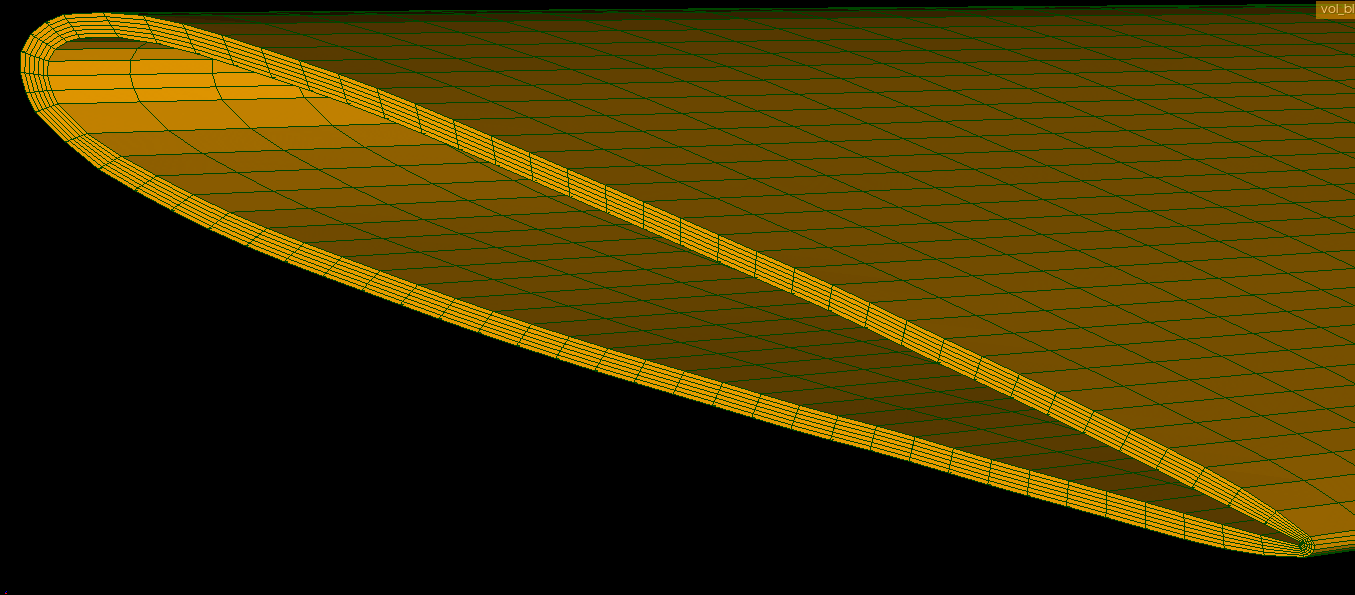
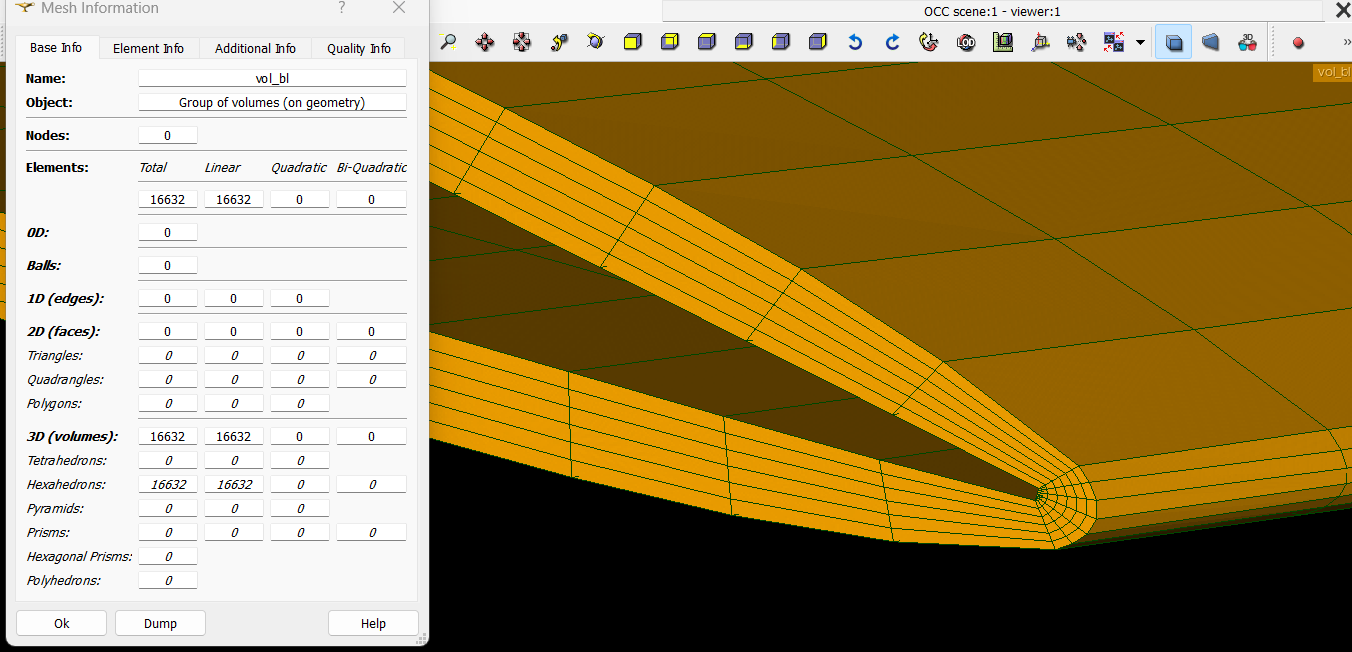
- wake_mesh_2.png is the new approach. We should not collapse layers. We can fill it with other elements. Additionally, if a layer is compulsory at the end trailing face, it is easy to extrude one more layer.
Hello,
I see what you did with the different approaches, I imagine that you achieved by creating a compound on the geometry side before meshing? in any case, i dont even dislike the wake_mesh_1 the _issue looks better at least for OpenFOAM requirements. but it is already a good mesh. the _mesh2 it is kind of okey, personally i work with fully hexas, which leans to a little bit more complex meshing, but the really small triangular faces at te end i must confess that it is not my favorite.
in any case, no need to answer to me as it is not me who needs it but yhe original user, i was just trying to help in troubleshoot its issue.
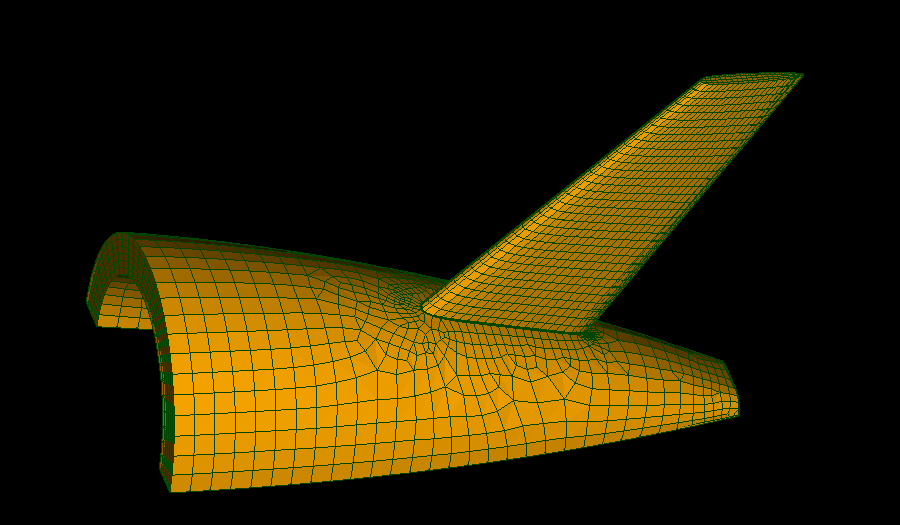
Yes, I am using FreeCAD. You may consider this as a modified version of Divided Disk or Cylinder in GEOM. Instead of lines, I use Bezier curves. I generated hexa-dominant and full hexa viscous layer meshes. You are right. Mesh1 is actually good.
How can we extend this custom offset to the entire plane geometry?
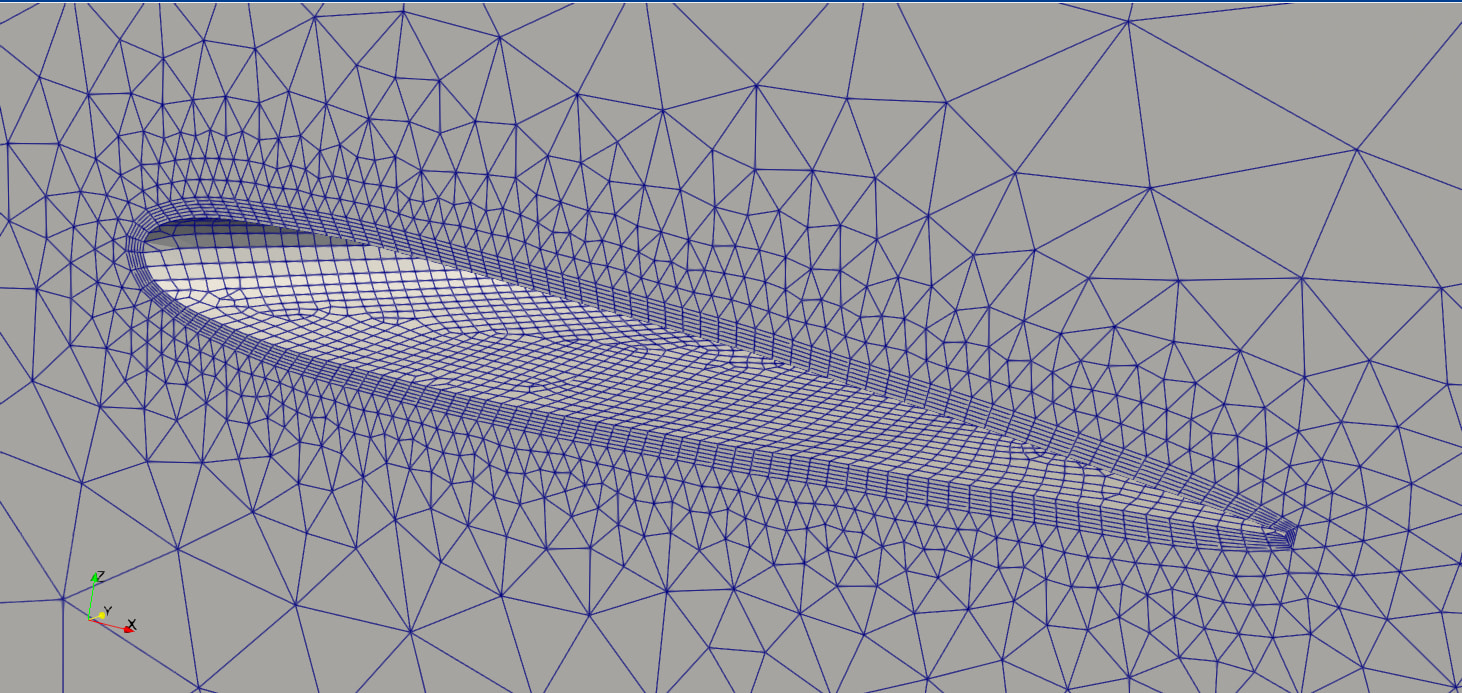
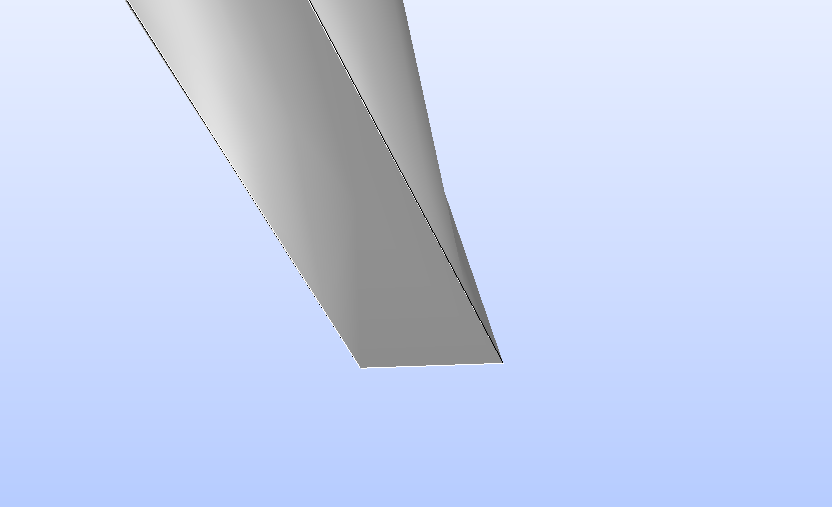
First, geometry has to be studied. If we look at the tail carefully, one has to notice that tube profile (fuselage) had zero thickness at the end edge. See picture below:
Second, split the geometry and apply custom offset for each. Believe me that working with separated geometries is way easier than handling with whole geometry. Furthermore, combining all pieces is not a difficult thing.
Finally, I created a bunch of fish fillets ready to cook. It is up to you to make them soup or to fry. Tested on OpenFOAM with various type of meshes (hexa-dominant layers etc).
I prepared an example on how to merge wing and body viscous layers using divided cylinders in GEOM. By the way, GEOM features I used are not parametric. I prefer FreeCAD.