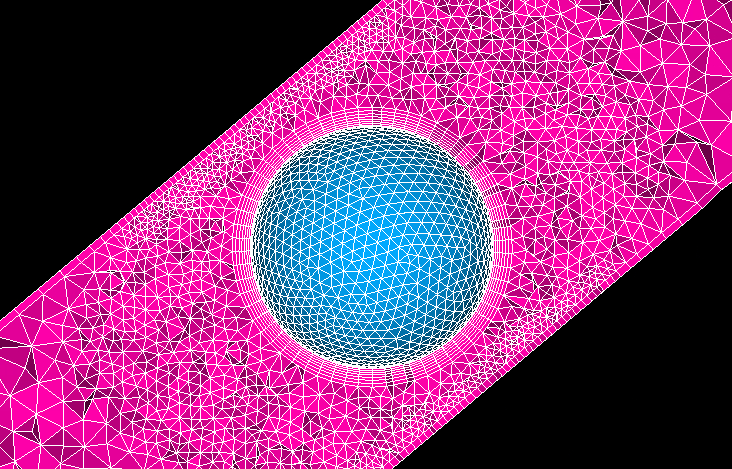
Dear community,
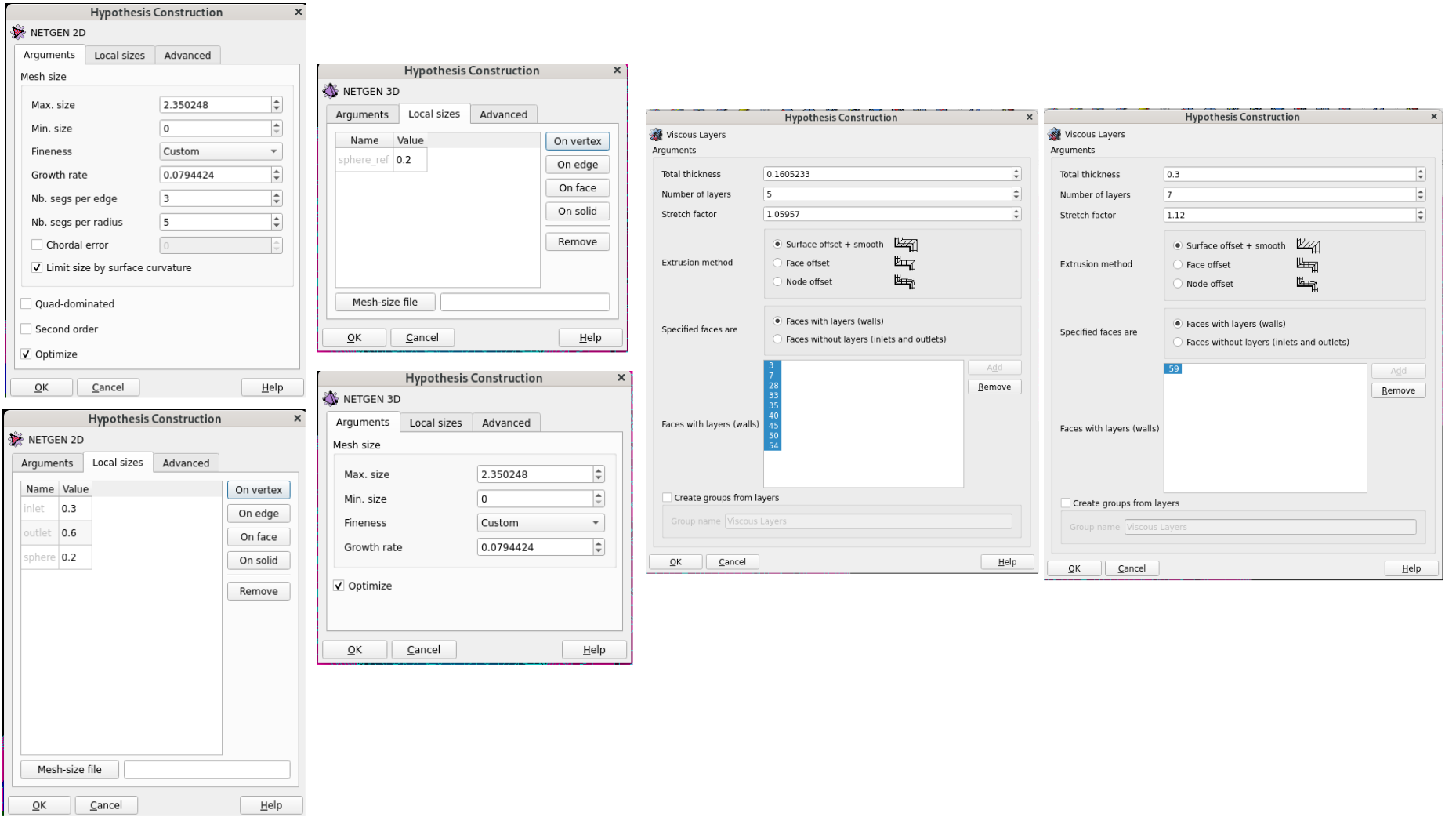
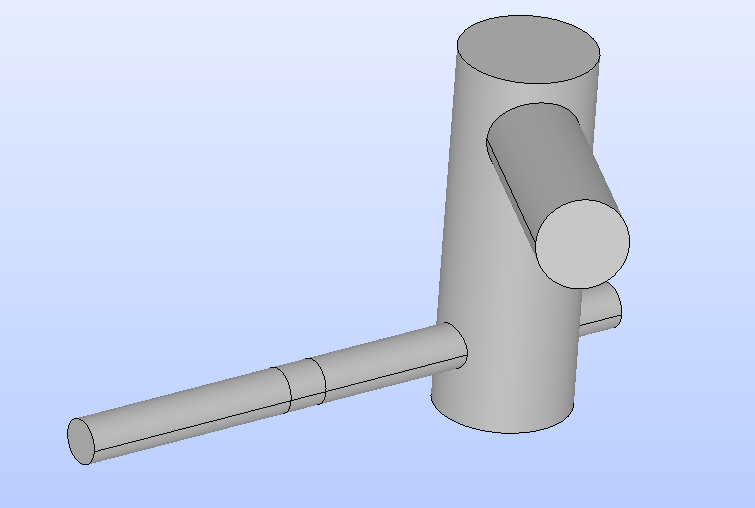
I am currently meshing a pipe with a sphere inside (using Salome in headless mode, no GUI) for optimization purposes with Dakota. I use the Netgen algorithm for meshing, which generally works well. For the sphere, I have defined a fixed boundary layer, while Dakota calculates the parameters for the wall.
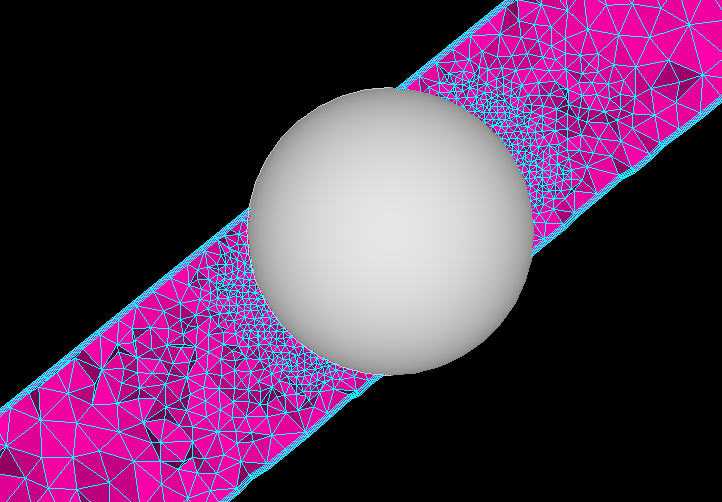
However, no matter what I try, the region between the sphere and the wall is not refined. Has anyone encountered a similar issue or could provide advice on how to ensure proper mesh refinement in this area?
Any suggestions or insights would be greatly appreciated!
I’m using Salome 9.15 on RHEL 9.7 in a libvirt VM.
Best regards,
Damian
awsome to be working in dakota, it is something that has been always in my TODO!
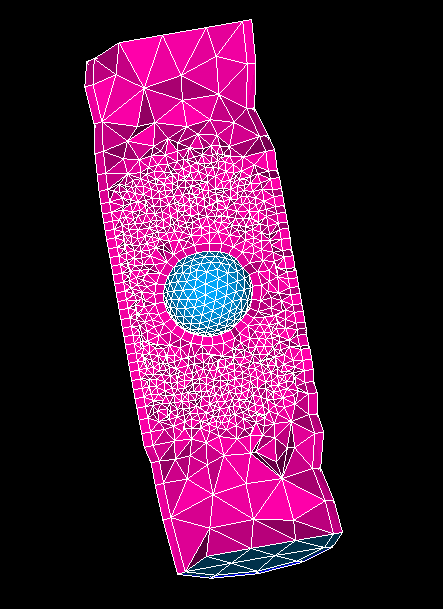
if i understand you correctly, you want to refine the mesh on the yellow colored sections? between outside of the sphere and the tube. So, you are creating two spheres,one small inside the tube and the other one larger than the tube that envelopes the small sphere and the yellow part. you are meshing, the difference between the tube and cylinder, and then using the large sphere to refine the mesh there?
something like this:
check this dump file and construct from there
a.py (3,9 KB)
regards
Thanks a lot for the quick reply and your demo Python file.
It works perfectly. And your understood my intention correctly.
My guess is, there might be difference in the NETGEN algorithms:
Your approach: 1D-2D-3D => refinement between BL of the wall and the sphere works
My approach: 1D-2D + 3D => refinement between BL of the wall and the sphere does not work!
Regarding my automation workflow.
I use following Snakemake automation besides Dakota optimization:
- geometry creation and meshing with Salome Python script headless (no GUI)
- mesh check with Python script and Salome headless
- headless CFD with code_saturne
- automated post-processing with pvpython and gnuplot
- results are being stored in a SQLite DB
- some values are stored in a JSON file
The workflow is running for hours or days in circles and is generating data for DOE or a surrogate AI model / neuronal Network preparation. I’m still few steps away from it 
I switched over from OpenFOAM and snappyHexMesh for better meshing quality, which is needed for the sharp edges on my hydraulic valves geometries.
And it seems it was the right choice.
Thank you!
Super interesting I must say. Would love to get a report/complete workflow report or any technicality document if you ever write it! In regards to 1-2 +3 vs 1-2-3 it does not surprise me, you are trying to refine a section that contains surface and as the 3d will be executed only after the 1-2d it might not take it into account. Maybe test by adding a refinement in the 1-2 d if possible, I am away from the pc so not sure of this. But might be possible.
How Saturns compares to OpenFOAM I am an OF user myself.
1 Like
A few days later, with more time to think and find inspiration. This helped me apply a crucial refinement trick.
One can use the sphere as a surface partition and create a group from it. This group is then used for further refinement. And now it works a little better.
Separate boundary layer definitions were now used for the sphere.
Dakota + Salome headless (no gui) now creates many meshes with different boundary layers.
for seek of completeness,
If i am understanding you correctly, you changed to a surface refinement,
this is NOT the same thing, it is great it is working for you, but just FYI, with this workflow you are refining the surface mesh, and netgen 3D will adapt to it to be conformal, ergo, it will create smaller elements on it, but you are getting a correct result on your case because your gap between the surfaces with small elements is small, so it does not give the space to netgen to grow again in size. if your pipe would be way larger and therefore the yellow part on the first post way bigger, you would risk that netgen 3D will have smaller elements near the surfaces of the pipe and the sphere, but in between it will have bigger elements, something like surface pipe → small elements →larger elements →small elements →suface sphere. so it is more case dependent, i asume that for your case the pipe is fixed and you will not have issues.
another problem of this is that as you are doing a partition, on the surface you will have the cells aligned with the two edges of the partition, which sometimes (only sometimes) can be problematic.
the previous suggestion i gave you (i actually discovered while trying to help you as my classic workflow would had been making a partition also (but of a solid so i could submesh that section)) gives free boundaries between the refined and non refined zones, if you partition in volume, you will get a steep transition in the 3D, if you do like in your case with surface, a stepp transition only in 2D.
the previous workflow is more reliable for whatever geometry you would throw at it, where the partition of surface, is geometry dependent and partition of the volume will make steep transitions on the internal mesh.
1 Like
I understand, I still have a lot to learn about meshing with Salome
It’s a such powerful open source tool.
For anyone interested, I’ve opened my project on GitLab. It’s a collection of scripts (prototype status) for Salome (geometry creation, meshing, mesh check, visualization) + various others CAE open source tools, automated with Snakemake.
1 Like