Hello,
A new comer to this platform here. I am an open source CAD enthusiast and a FreeCAD user for almost 4 years. I tried some things out in Shaper module to try some 3D model
I want to ask that how can I use middle mouse button for Rotation & Pan (as Blender). Zoom is working as I expected using mouse scroll wheel. But rotation and pan should also should be controlled using mouse. Pan is working with Ctrl + middle mouse (scroll wheel), but there is no Ctrl or Shift combination works for Rotation!
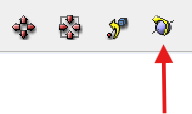
Also I find that I cannot assign shortcuts without combination keys! (Ctrl & Shift)? Is there any workarounds without any complicated jargon?
So, to make a story short…
-
how to perform Rotation without clicking above mentioned icon, every single time?
-
how to assign shortcuts without using combination (Ctrl & Shift) keys (or it is impossible, as of now)?
Thanks.