Create group of faces based on critreria

Hello Salome users,

Great job as always with improvements to Salome platform. Version 9.14 seems very stable.

I am working with a mesh and ran into an issue with manipulation of groups.

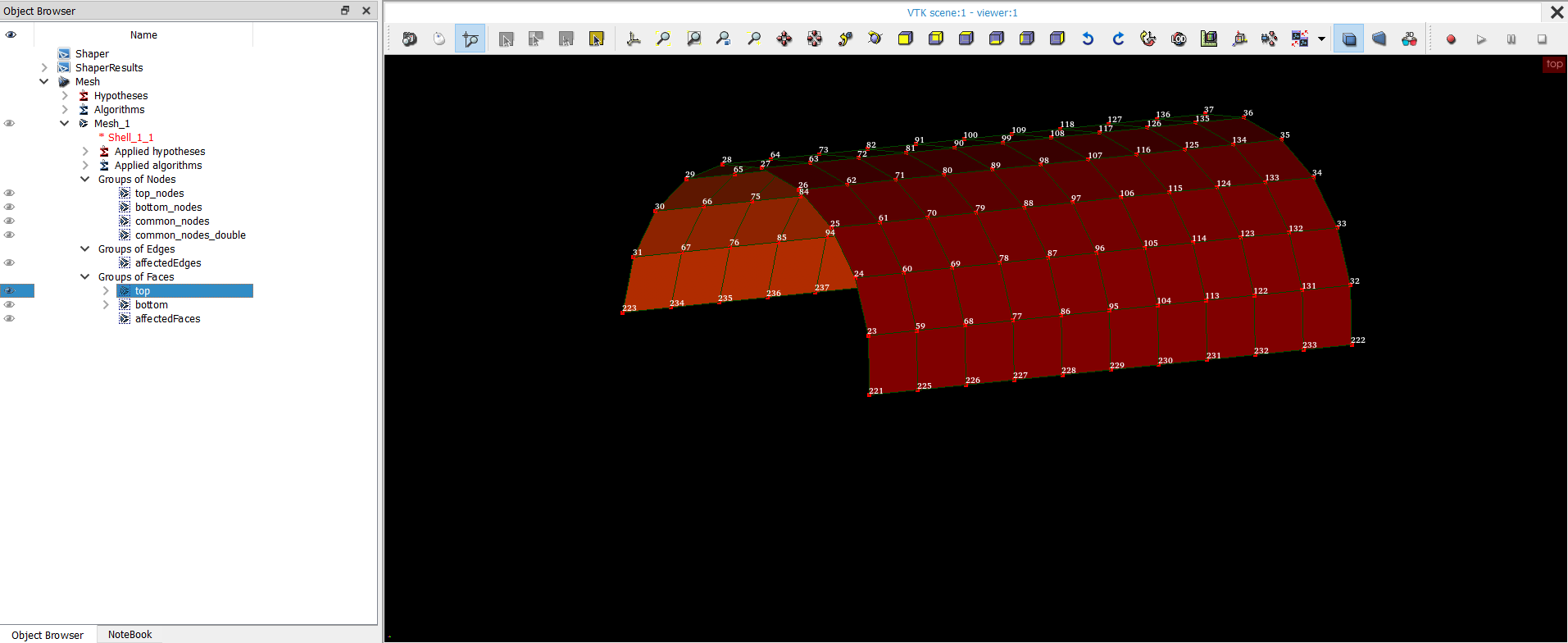
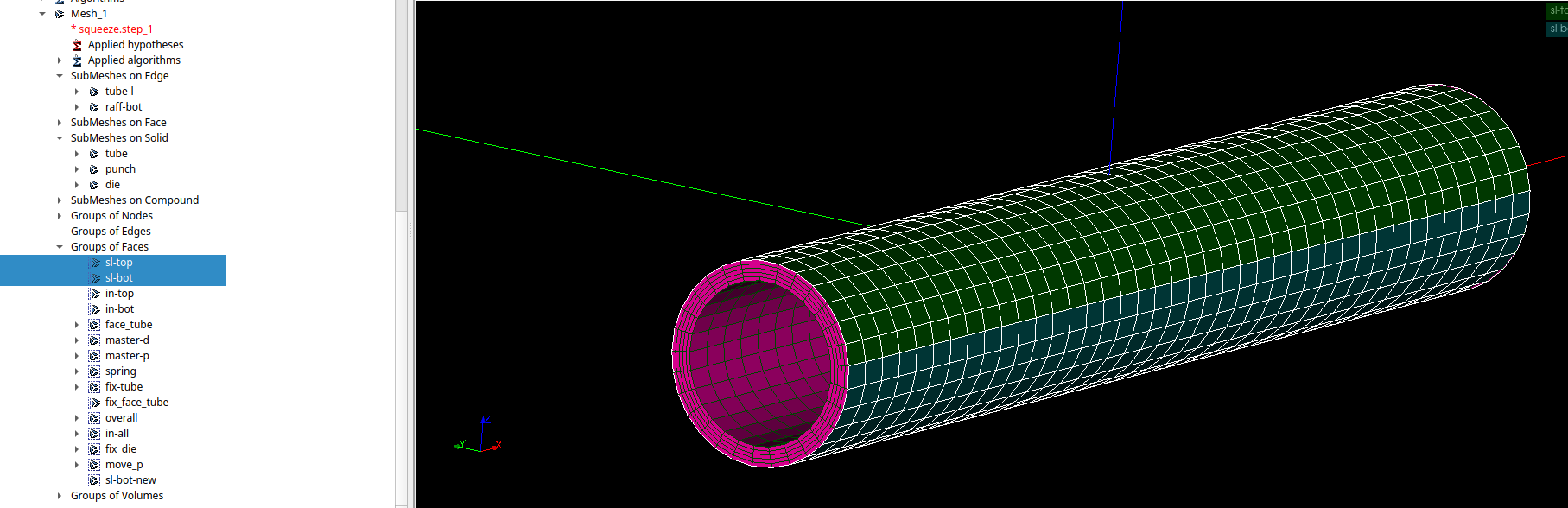
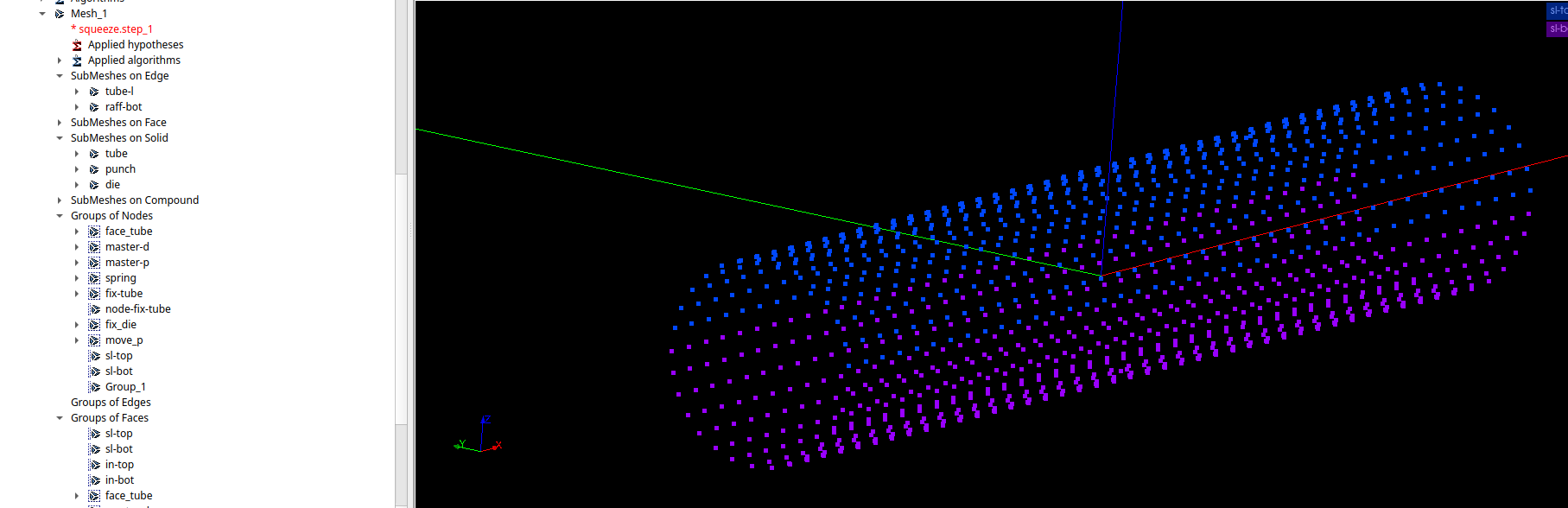
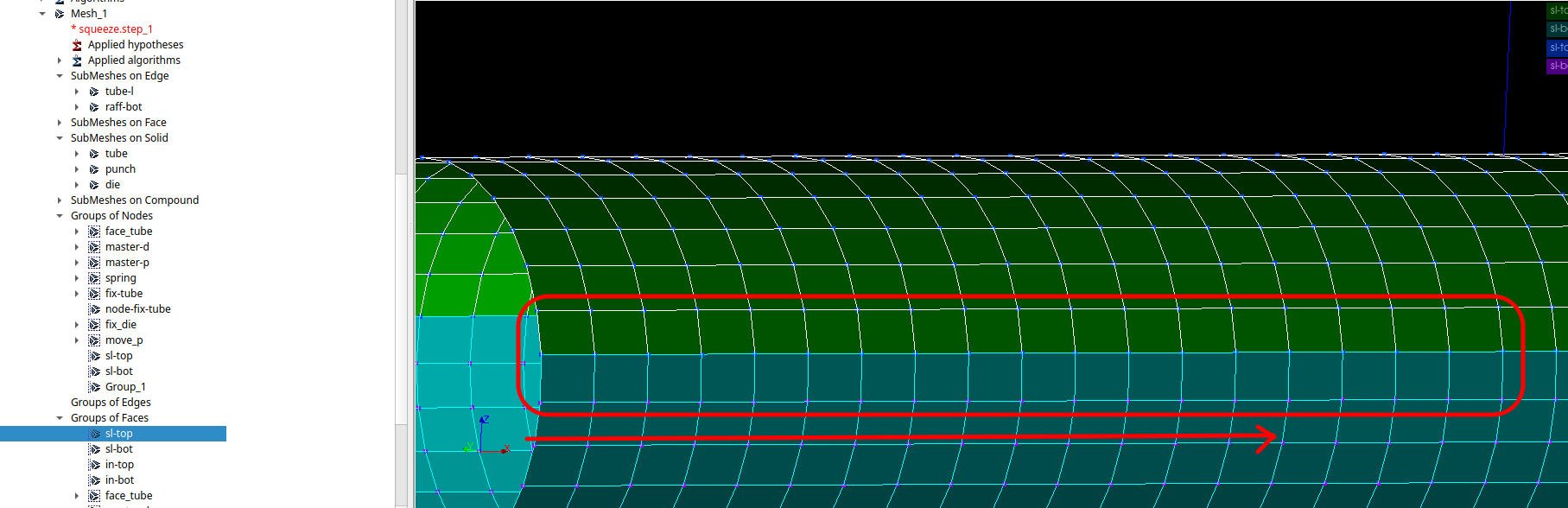
I have got two groups of faces as shown.(both groups touch each other at seams)(named sl-top and sl-bot). like a cylinder cut along its length.
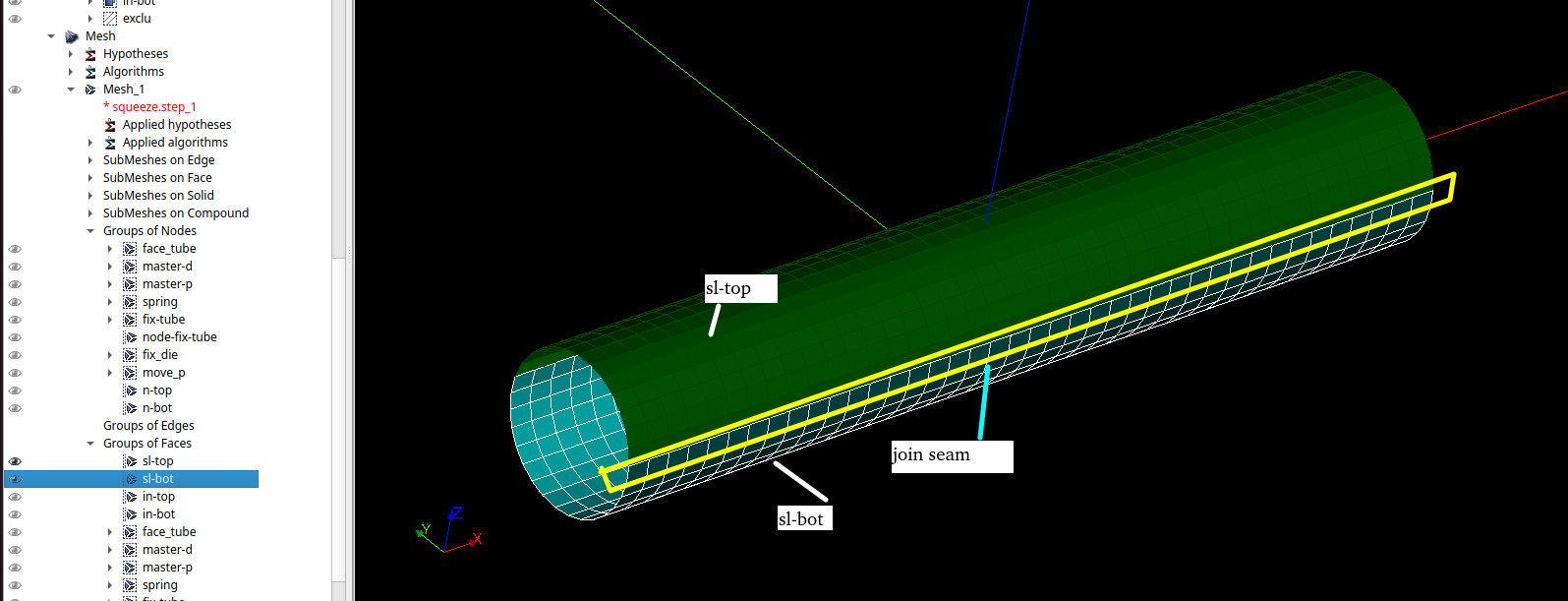
They both share same nodes which are overlapping along the seam as shown below.
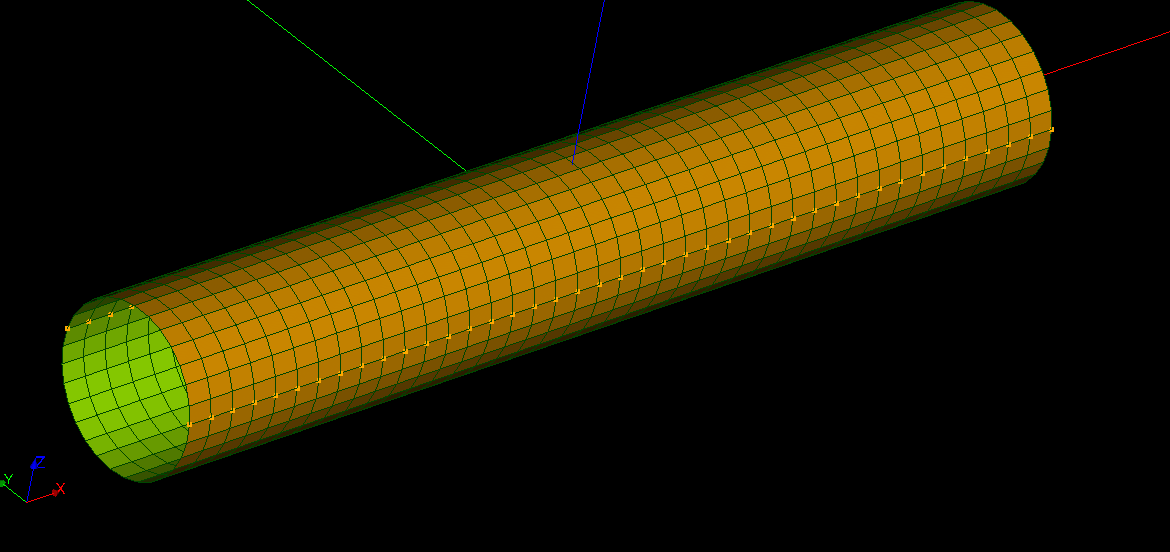
First of all , I was unable to create a group of nodes that are common to both top and bottom face groups through any of salome filters. I had to use code _aster CREA_GROUP_NO =_F(INTERSEC, GROUP_MA=(‘sl-top’,’sl-bot’) then use IMPR_RESU. However I want to avoid using CA to create groups because they are difficult to visualize then.

Due to contact methods in code aster, these both groups cannot have common nodes.

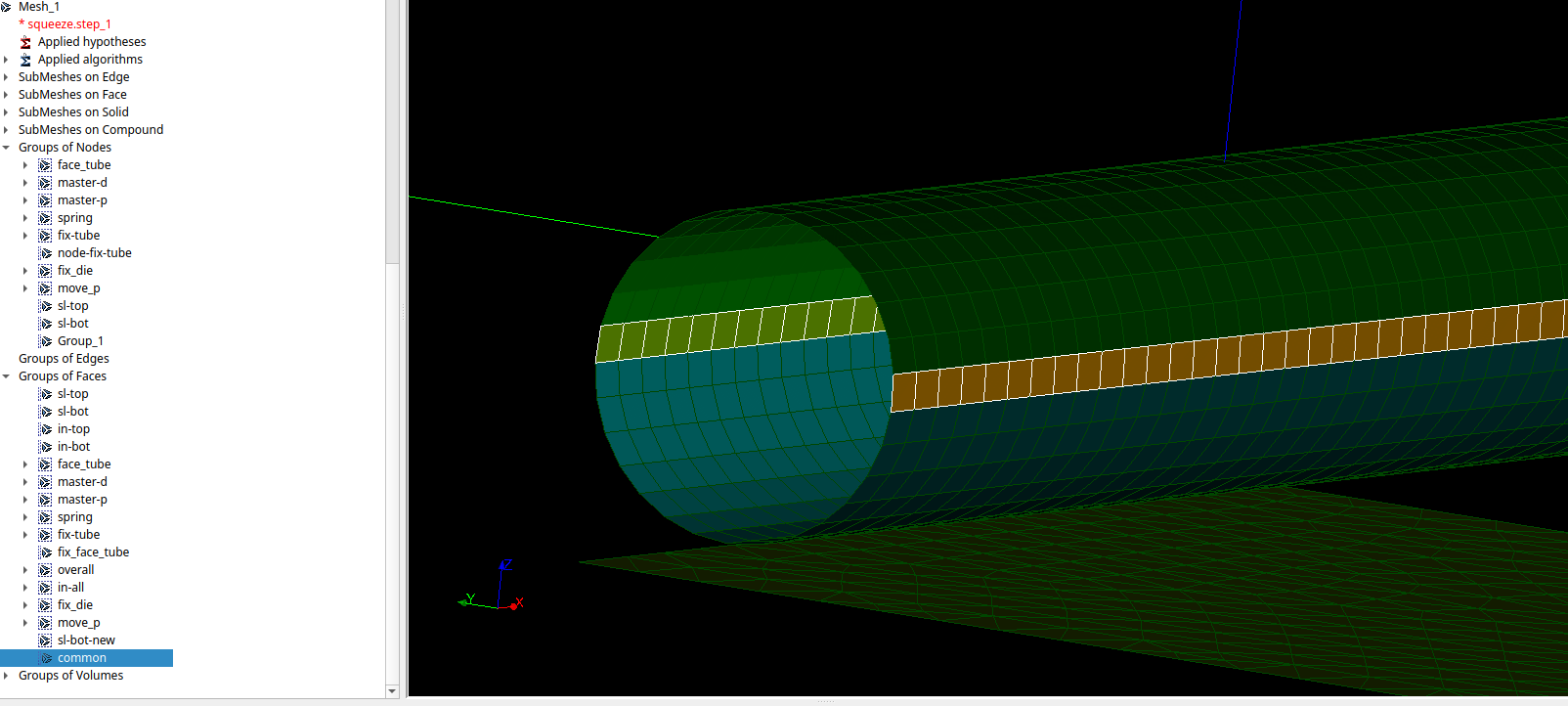
So, I need faces that carry these common seam nodes, with only one face along the length of seam(only 1 on both side of nodes), so that I can subtract them from one of the groups.(either sl-top or sl-bot)
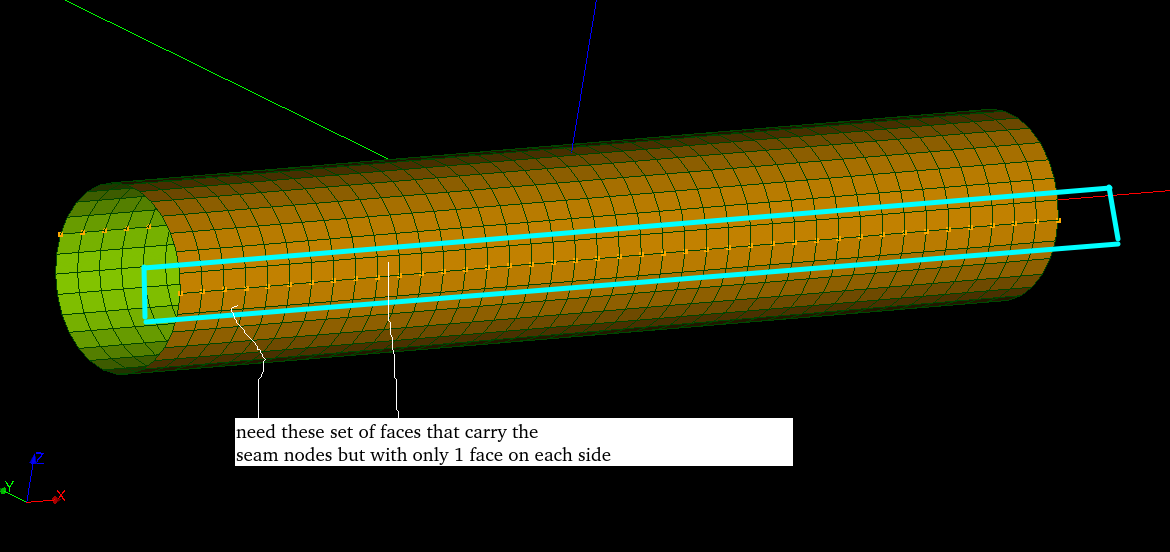
So is it possible to:

1>Use salome filters to Automatically create set of nodes which belong to both sl-top and sl-bot.

2> Create a group of faces that capture 1 face on either side of above set of nodes along the length of tube using “salome filters”. So the set has two faces in orthogonal direction to cylinder length.

So, I don’t need to use code aster commands to create mesh groups.

All this work using filters and not changing tolerance. Because mesh sizing can change later and I want to Automatically update these group of faces that carry nodes along the seam.

One more issue I may point out is that the RMED file generated by Code Aster does not correctly display groups (any kind of set of nodes are not displayed) using EXTRACT GROUP filter in PARAVIEW Standalone (version 5.13, 6.0).

However they correctly show up in mesh module of Salome. I tried with multiple versions of MED but still same result. Set of nodes especially created in code_aster command file using DEFI_GROUP are lost.

I appreciate your attention.

Much Thanks and Regards

Anirudh Nehra
Hello,
an easy way to do it is extract the edges of each of the faces, if you are in geom

edges=[geompy.SubShapeAll(face, geompy.ShapeType["EDGE"]) for face in faces]

then get the IDs of them over the compound body:

IDs=[geompy.GetSubShapesIDs(compound,edgesOfFace) for edgesOfFace in edges]

expand them and get the ones repeated:
IDsExp=sum(IDs,[])

IDsRepeated=[ID for n,ID in enumerate(IDsExp) if IDsExp.index[ID]>n] #this way you keep only the last repetition

then you get only one of the two, and then use filter etc etc (if you need help dont hesitate)

there are others ways around to detect this seam edge in this case in particular, but i would say that the way i did in the comment can help for future other applications.

regards.

Hi,

the easiest way is to create a group of edges on the shape, then create a group of nodes on it.

If you don’t have access to the shape, you can create a group of nodes from a group of faces in Mesh> Group Based on Nodes of Other Groups, CreateDimGroup in python. Then call Mesh > Intersect Groups to get the nodes shared between the two groups.

To be able to do contact simulation, you will have to double the nodes and affect them to the elements on one side. To do this, call Modification> Transformation> Duplicate nodes and/or elements. Use the first mode to duplicate nodes and affect them on one side, use the second to also duplicate the edges if needed.

Have a look at this example: dump_common_nodes_and_double_them.py (3,9 Ko)

Best regards,

Christophe

1 Like

HI,

thanks for reply.

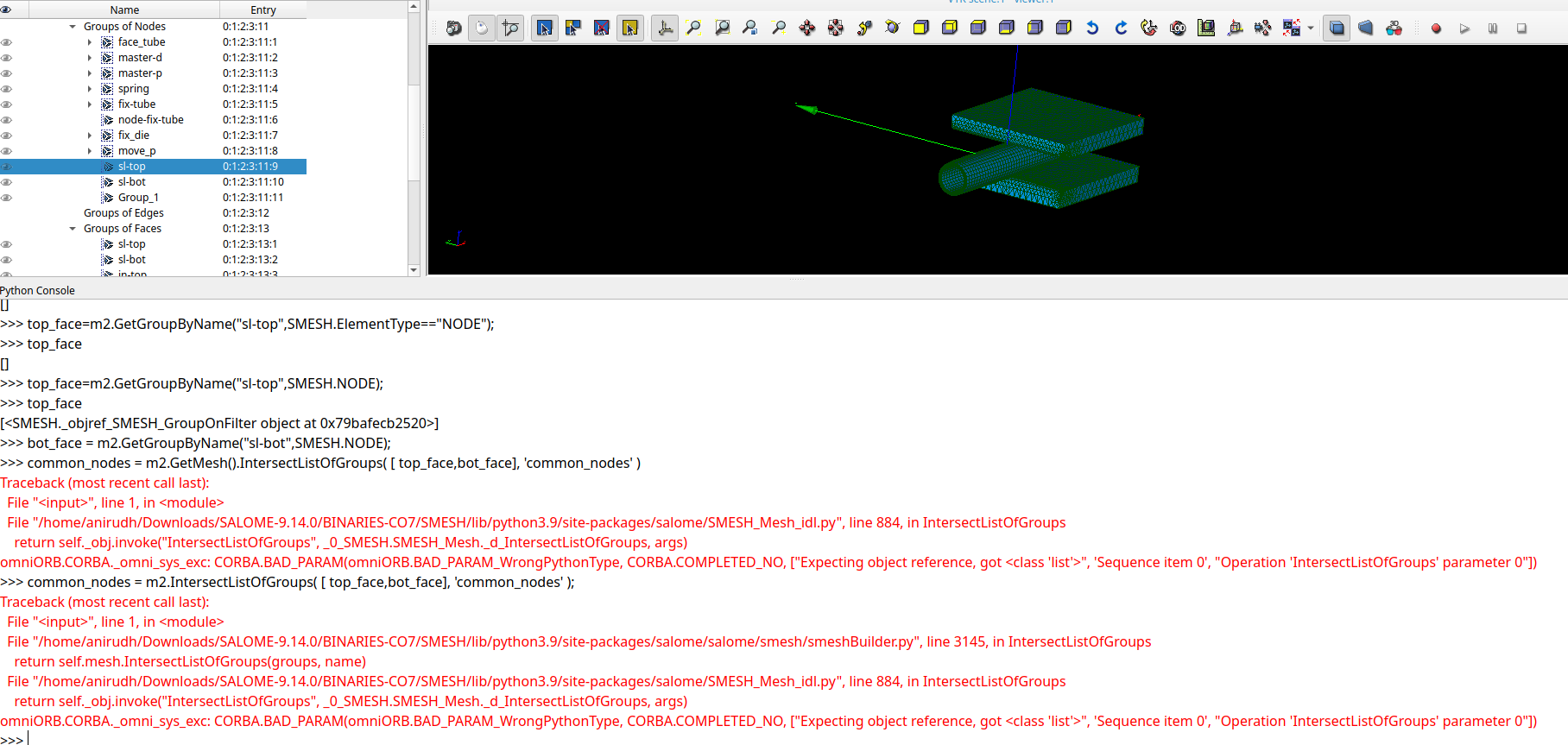
I tried performing the same in my model but got these errors.

These are the commands i typed in console:

import salome
salome.salome_init() # Initialize Salome environment
import SMESH
from salome.smesh import smeshBuilder
smesh = smeshBuilder.New()
#just select in tree with mouse
Mesh = smesh.Mesh(salome.IDToObject(salome.sg.getSelected(0)))
# print (Mesh);
# <salome.smesh.smeshBuilder.Mesh object at 0x7cdb032b3d90>
#give entry
m2 = smesh.Mesh(salome.IDToObject("0:1:2:3")); #same entry as in tree
all_groups = m2.GetGroups() #this worked
top_face=m2.GetGroupByName("sl-top",SMESH.NODE);
bot_face = m2.GetGroupByName("sl-bot",SMESH.NODE);
common_nodes = m2.GetMesh().IntersectListOfGroups( [ top_face,bot_face], 'common_nodes' )
[ affectedFaces, affectedEdges ] = m2.AffectedElemGroupsInRegion( [ common_nodes ], [], None )
if salome.sg.hasDesktop():
  salome.sg.updateObjBrowser()


This is the result from console;

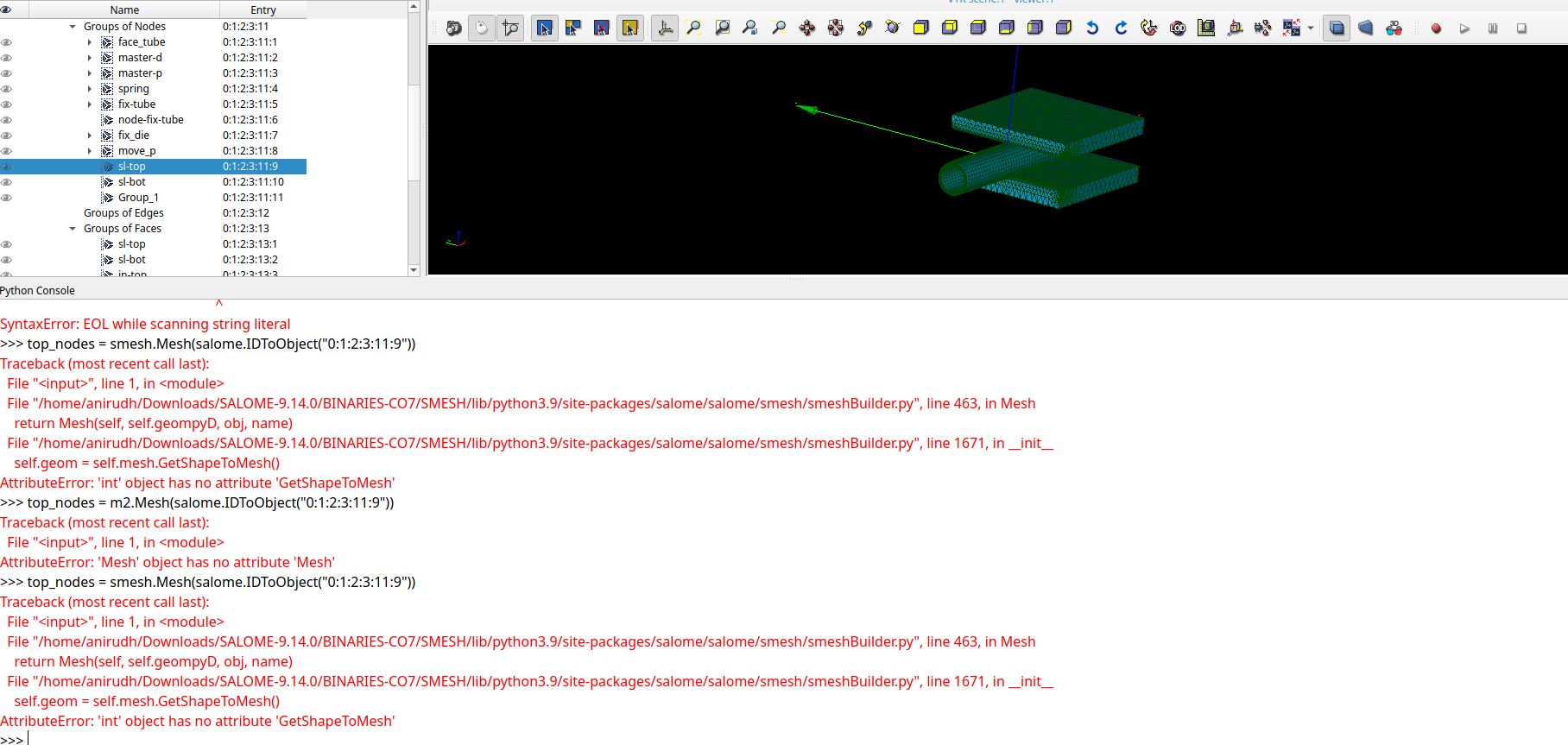
I also tried this command but it did not work As you can see I highlighted the group in tree with same entry in console.

top_nodes = smesh.Mesh(salome.IDToObject(“0:1:2:3:11:9”))

also, this did not work

common_nodes = m2.IntersectGroups(top_face,bot_face,‘common’);

Please find the study attached here:Dropbox

Thanks and Regards

Anirudh

Hi,

Please have a look into the issue.

Regards

Anirudh

import salome
salome.salome_init() # Initialize Salome environment
import SMESH
from salome.smesh import smeshBuilder
smesh = smeshBuilder.New()
[mainBody,Mesh,solid1,solid2,solid3,solid4]=[salome.IDToObject(salome.sg.getSelected(i)) for i in range(6)]
MeshObj=smesh.Mesh(Mesh)
edgesBySolids=[geompy.SubShapeAll(solid, geompy.ShapeType["EDGE"]) for solid in [solid1,solid2,solid3,solid4]]
IDs=[geompy.GetSubShapesIDs(mainBody,edgesOfFace) for edgesOfFace in edgesBySolids]
IDsExp13=IDs[0]+IDs[2]
IDsExp24=IDs[1]+IDs[3]
edges13Keep=[geompy.GetSubShape(mainBody, [ID]) for n,ID in enumerate(IDsExp13) if IDsExp13.count(ID)>1 and IDsExp13.index(ID)>=n]
edges24Keep=[geompy.GetSubShape(mainBody, [ID]) for n,ID in enumerate(IDsExp24) if IDsExp24.count(ID)>1 and IDsExp24.index(ID)>=n]
filterOnEntities13 = [smesh.GetFilter(SMESH.NODE, SMESH.FT_LyingOnGeom, edge) for edge in edges13Keep]
filterOnEntities24 = [smesh.GetFilter(SMESH.NODE, SMESH.FT_LyingOnGeom, edge) for edge in edges24Keep]
IDsOnEntity13 = sum([MeshObj.GetIdsFromFilter(filter) for filter in filterOnEntities13],[])
IDsOnEntity24 = sum([MeshObj.GetIdsFromFilter(filter) for filter in filterOnEntities24],[])
Group_13 = MeshObj.CreateEmptyGroup( SMESH.NODE, 'Group_1-3' )
nbAdd = Group_13.Add( IDsOnEntity13 )
Group_24 = MeshObj.CreateEmptyGroup( SMESH.NODE, 'Group_2-4' )
nbAdd = Group_24.Add( IDsOnEntity24 )

this works. but the issue is that you dont have nodes on the edges shared bewteen 2-4 solids. i dont know how you managed to do this but you have an issue there. outside of that, this is a reliable way to do it.

Hi,

The group of nodes or faces

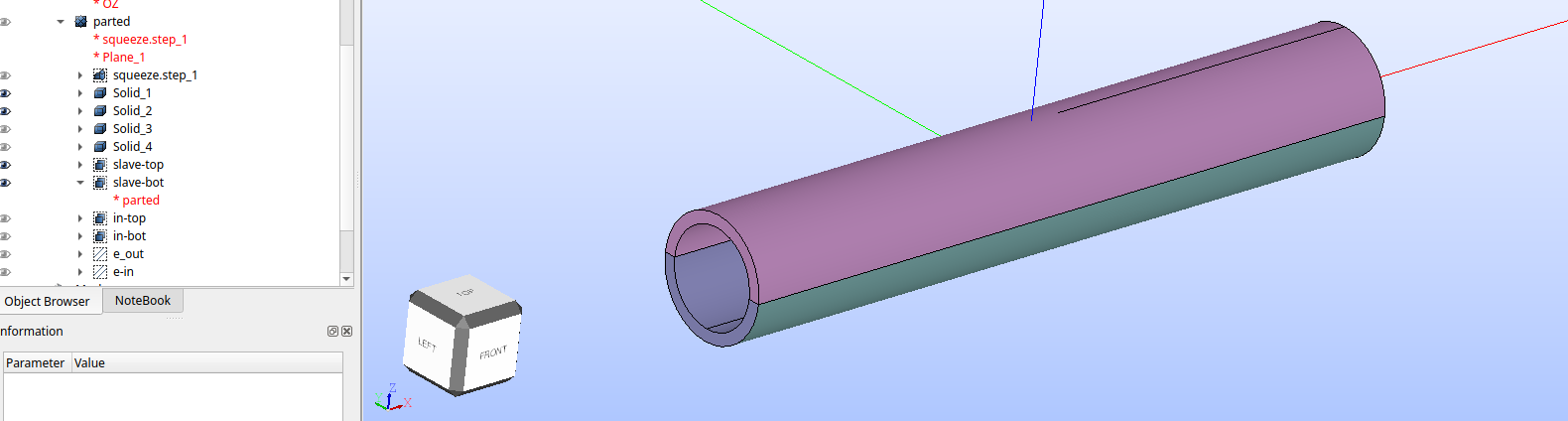
sl-top and sl-bot are based on a new cylinder(at bottom in tree) that was partitoned with a plane( the original solid is a complete cylinder with no cuts) I forgot to split the faces in CAD of cylinder in Onshape.

The filter based on BelongToGEOM with fine tolerance of 1e-07 was used.

But no matter what I do I cannot get common nodes. Why is salome not recognising these groups?

Regards

Anirudh

I might not be understanding you , but the common nodes you are correctly getting them wiht my script IDsOnEntity13 abd IDsOnEntity24. the issue is that IDsOnEntity24 is empty, because they do not share nodes the two objects.

HI,

I think maybe I am unclear.

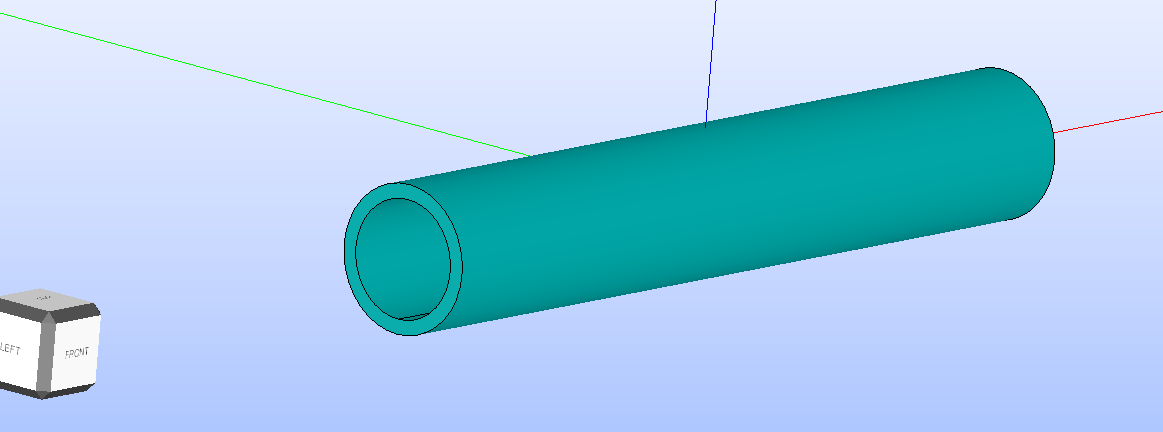
This is the initial geometry(tube) on which the submesh is defined. Its got by exploding of main assembly(squeeze.step_1)

This is the new partioned exploded assembly(named parted) (made of two solids solid1 and solid 2 which form the tube; their outer surfaces sl-top and sl-bot) with a plane

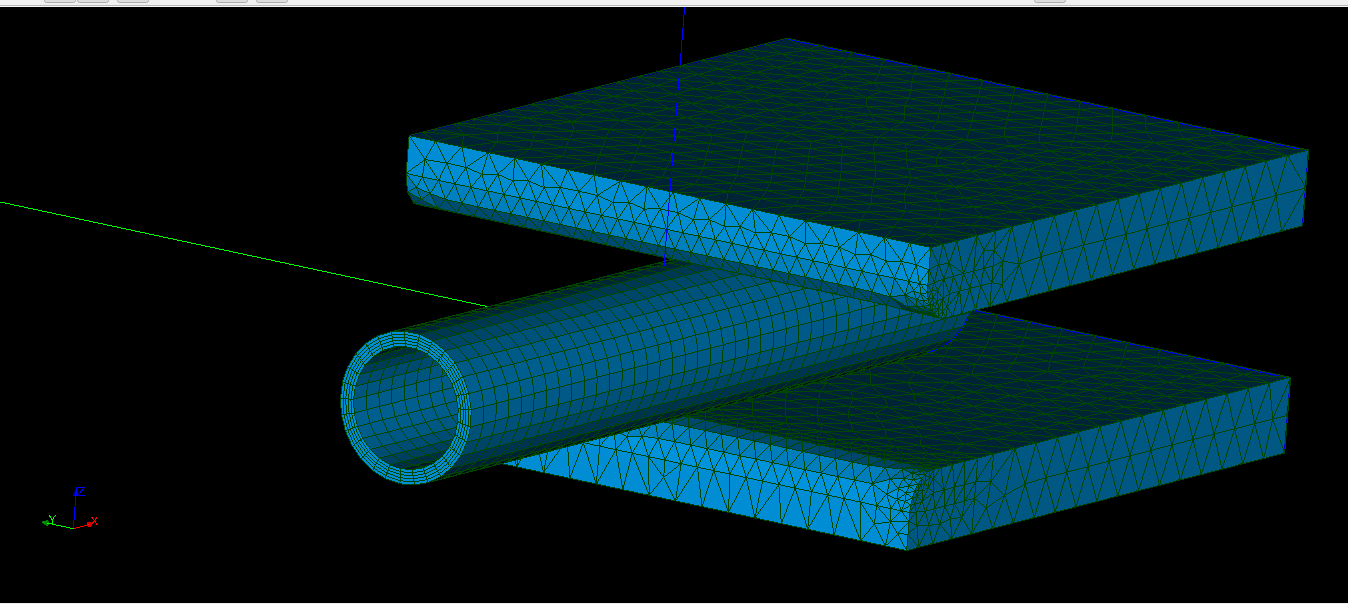
This is the mesh on main assembly(squeeze.step_1)

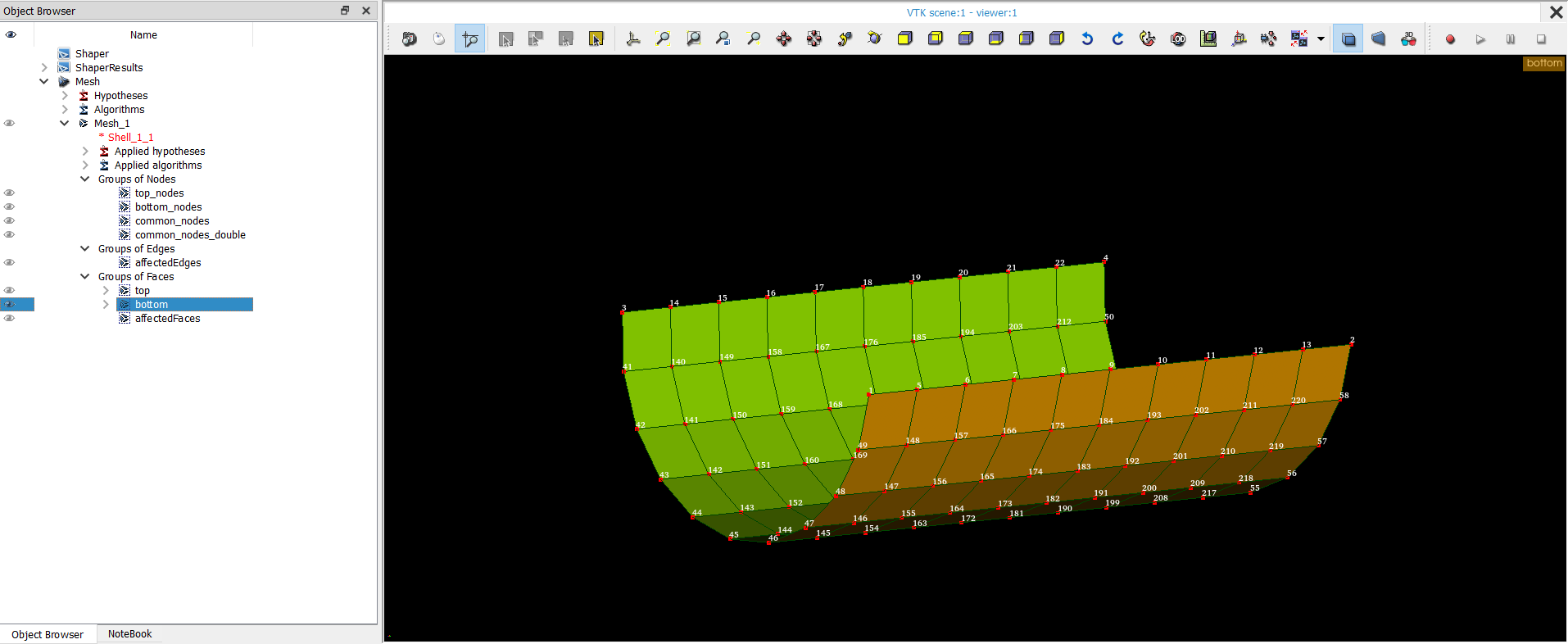
The two top and bottom surface groups are got by BelongToGEOM filter

The two groups of nodes

The nodes are not overlapping.

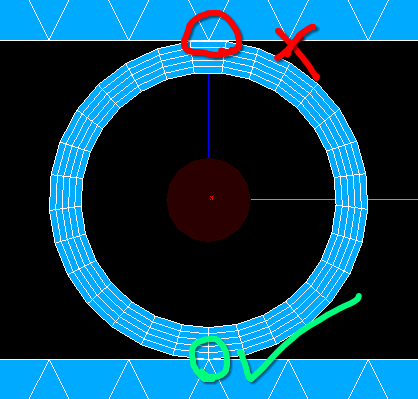
I want the elements(1 for each side) at the juncture of both face groups for both front and back side

Regards

Anirudh

Then you can use my script with different solids using solid and 2 instead of 13 and 24. This will select 2 “squares” of nodes then with some extra checking that the nodes are in the external surfaces you can get the desired ones. Or more easy you use my script but instead of checking the match between the two solids you check the match between the two external faces.

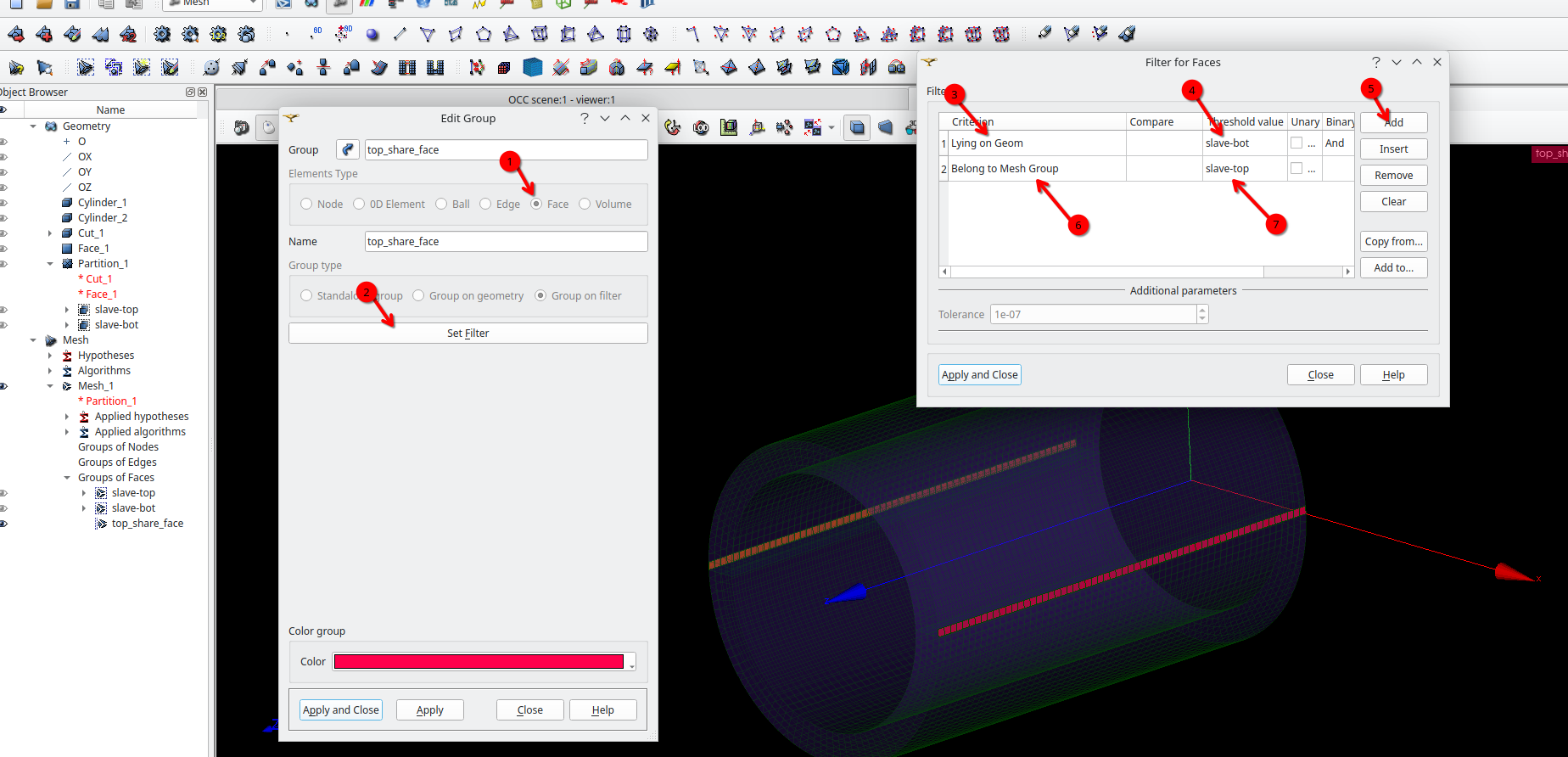
Hi Anirudh, I think you can use a combination of “Lying on Geom” and “Belong to Mesh Group” filters (or “Belong to Geom”). For the other side, just invert the threshold value.

I share a picture.

Hi,

Great idea @psicofil

This is exactly what I need.

I will also try the script as given by @franco.ota

Thank you all for your help.

@psicofil I see you have created scripts for aster run monitoring on github. But I can’t seem to be able to use with singularity.

I use as_run inside singularity terminal like this.

image

Where should I place scripts so that they are usable inside singularity.

Thanks and Regards

Anirudh

@anirudh I’m not very familiar with Singularity yet—I still need to get comfortable with it haha. I don’t know how to configure it to show gnuplot plots while running with the as_run command. The script I created a long time ago was intended for the ASTK tool. Perhaps you could try this Python monitoring project, which seems interesting: https://github.com/code-jacob/code_aster_Monitoring